
Twitch Emote Maker
Let AI draw a set of six chat emotes of your own character, built to read at 28 pixels — or resize art you already have into Twitch emote sizes, free in your browser.
AI emote set of your character
Your character
Emotes · pick 6
6/6Your own ones count toward the 6. Tap one to remove it.
At a glance
- Free resizer: no account, no AI, and your images never leave your browser.
- Resizer output: transparent PNGs at 112, 56 and 28 px for Twitch, plus a 128 px copy for Discord, in one ZIP.
- Twitch accepts square PNG emotes up to 1 MB. Upload one image of at least 112 × 112 px and Twitch makes the smaller sizes, or upload all three yourself.
- AI emote set: 10 credits for six emotes on one sheet (6 with High quality off) — oversized chibi heads with a dark outline and a thin white outer line, so they read in dark and light chat.
- New accounts get 20 free credits, valid for 30 days. Failed generations don't use credits.
Made with DrawMyOC
Real characters, each turned into a six-emote sheet on this site. Open “Prompts” to read the exact text that made each image.
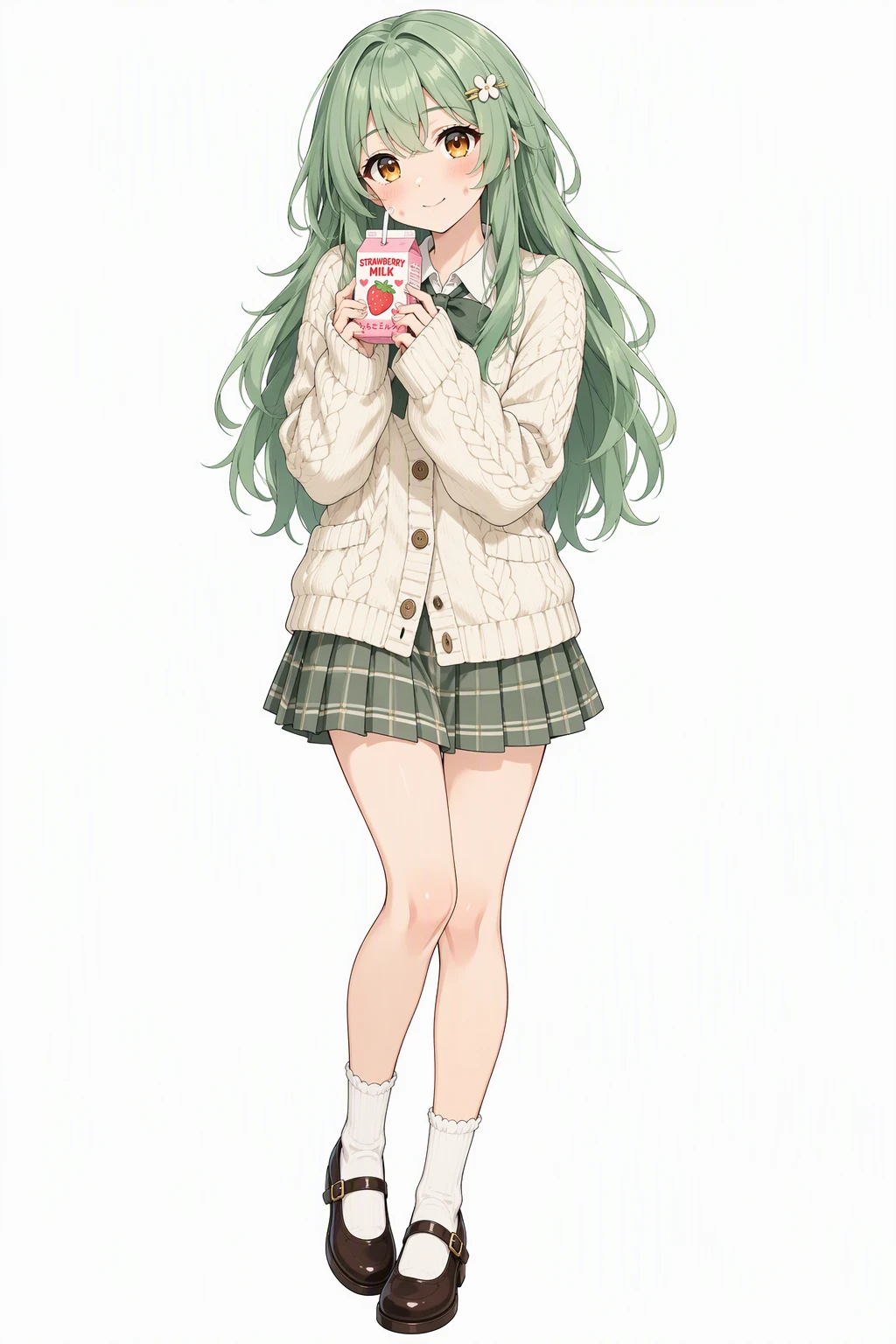 Character
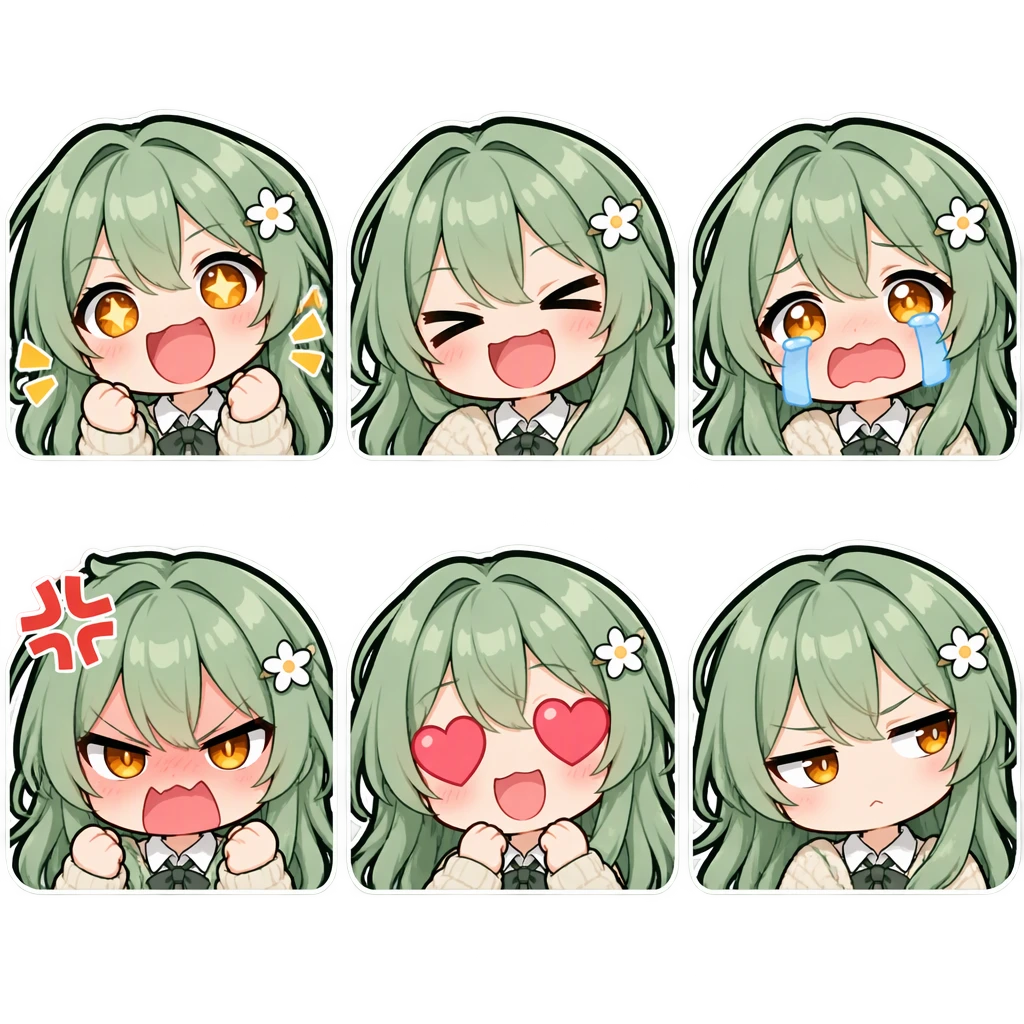 Emote sheet
Prompts
Character: Vibrant anime illustration with clean line art, cel shading and expressive large eyes. A cheerful young woman with long layered mint-green hair, warm amber eyes and dimpled fair cheeks, wearing a cream knitted cardigan over a pleated skirt with Mary Janes and a small hair clip, holding a strawberry milk carton with a shy soft smile. Single character, full body, clean white background.
Emote sheet (with the character as reference): Emote sheet of the same character as the reference image: six chibi Twitch-style chat emotes arranged in a strict grid of 2 rows by 3 columns with equal square cells and generous spacing between them, one emote per cell in this order: hyped, laughing, crying, raging, heart eyes, suspicious side-eye. Each emote is an oversized chibi head with tiny shoulders filling the cell, with a huge, exaggerated, instantly readable expression. Keep the exact same design, colors, hairstyle and face. Thick clean dark outlines plus a thin white outer outline so each emote reads on both dark and light chat themes, flat saturated colors, minimal shading, no tiny details, so every emote stays readable at 28 pixels. Plain transparent background, no cell borders, no text, no watermark.
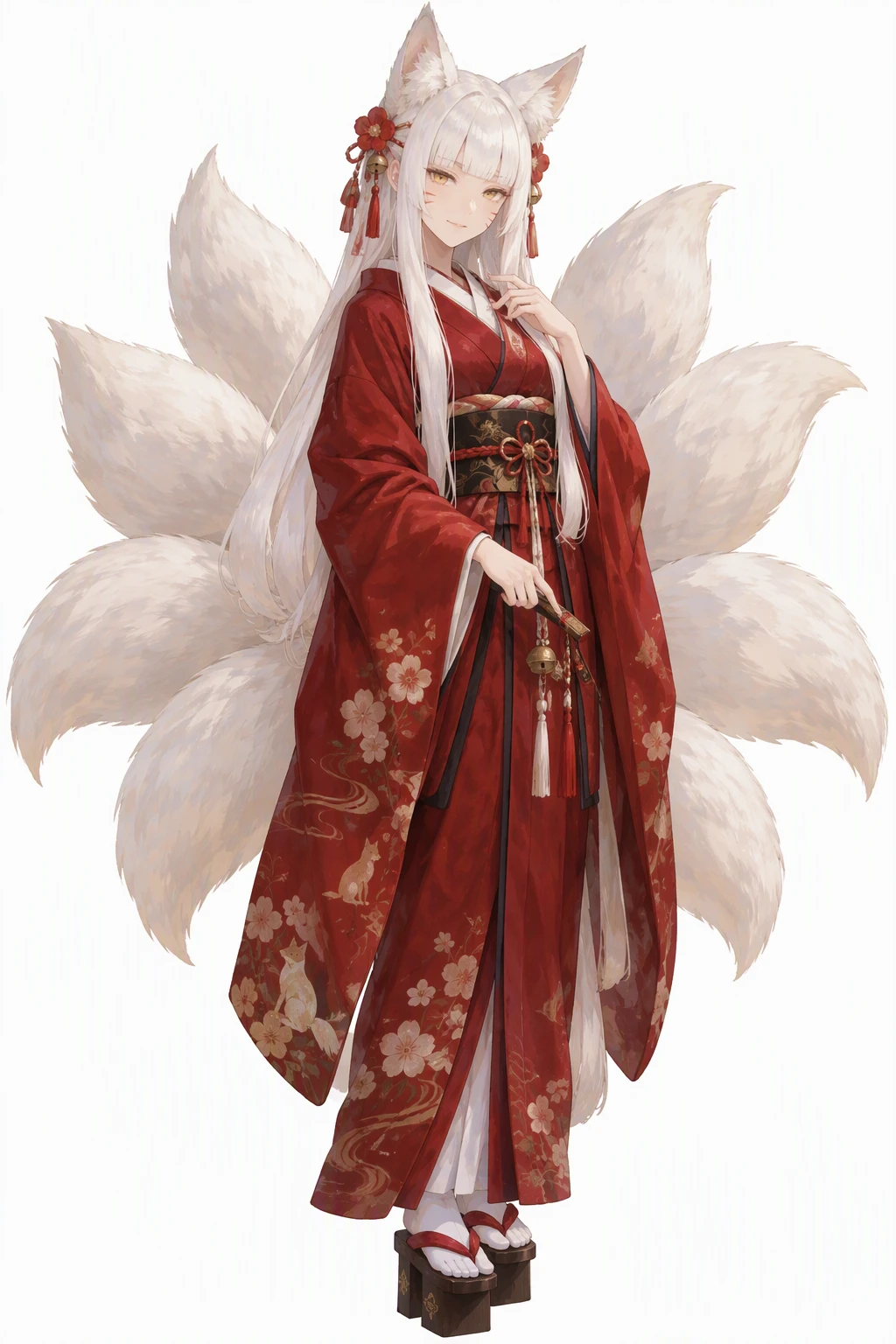 Character
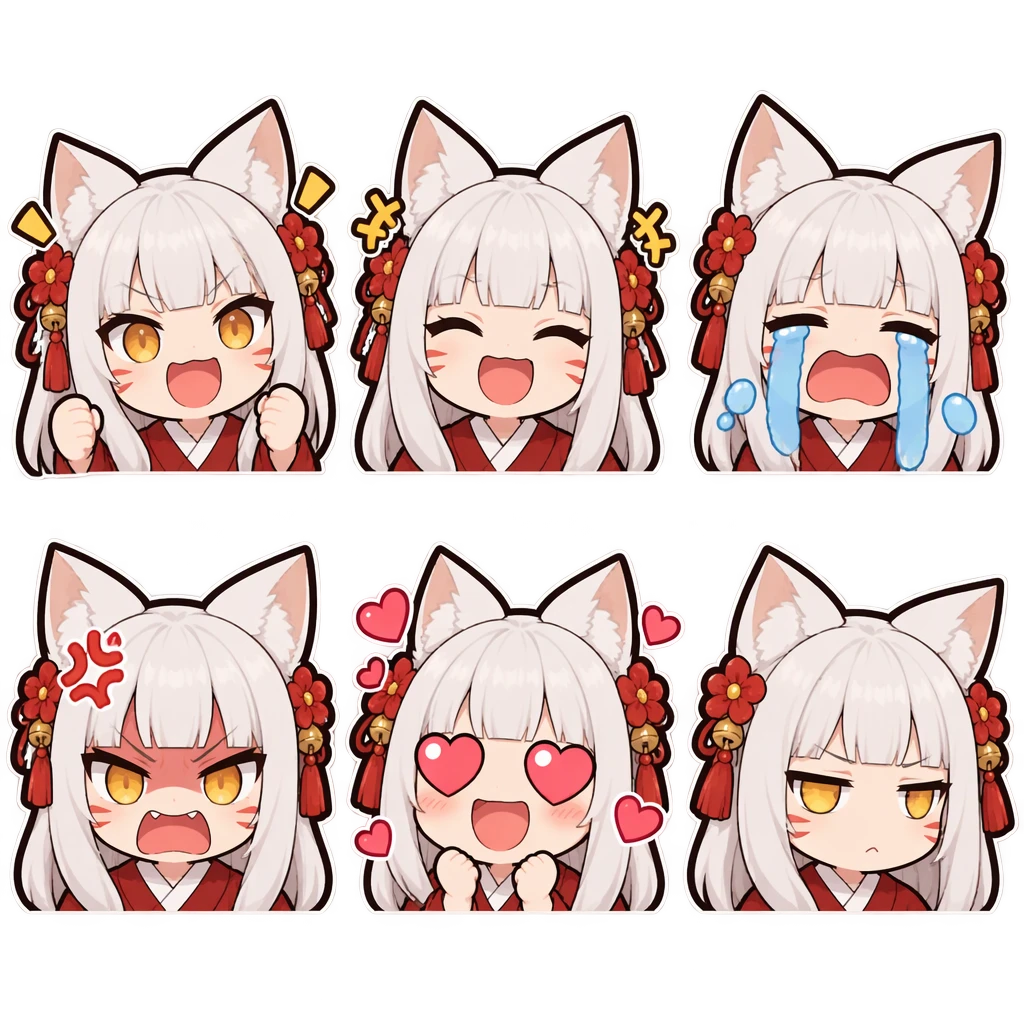 Emote sheet
Prompts
Character: Hand-painted anime style with soft painterly brushwork and gentle color blending. A fox spirit shrine keeper with long white hime-cut hair, golden eyes and faint whisker marks on her cheeks, fox ears and tails fanned out behind a deep red kimono, geta on her feet, wearing a quiet mysterious smile. Single character, full body, clean white background.
Emote sheet (with the character as reference): Emote sheet of the same character as the reference image: six chibi Twitch-style chat emotes arranged in a strict grid of 2 rows by 3 columns with equal square cells and generous spacing between them, one emote per cell in this order: hyped, laughing, crying, raging, heart eyes, suspicious side-eye. Each emote is an oversized chibi head with tiny shoulders filling the cell, with a huge, exaggerated, instantly readable expression. Keep the exact same design, colors, hairstyle and face. Thick clean dark outlines plus a thin white outer outline so each emote reads on both dark and light chat themes, flat saturated colors, minimal shading, no tiny details, so every emote stays readable at 28 pixels. Plain transparent background, no cell borders, no text, no watermark.
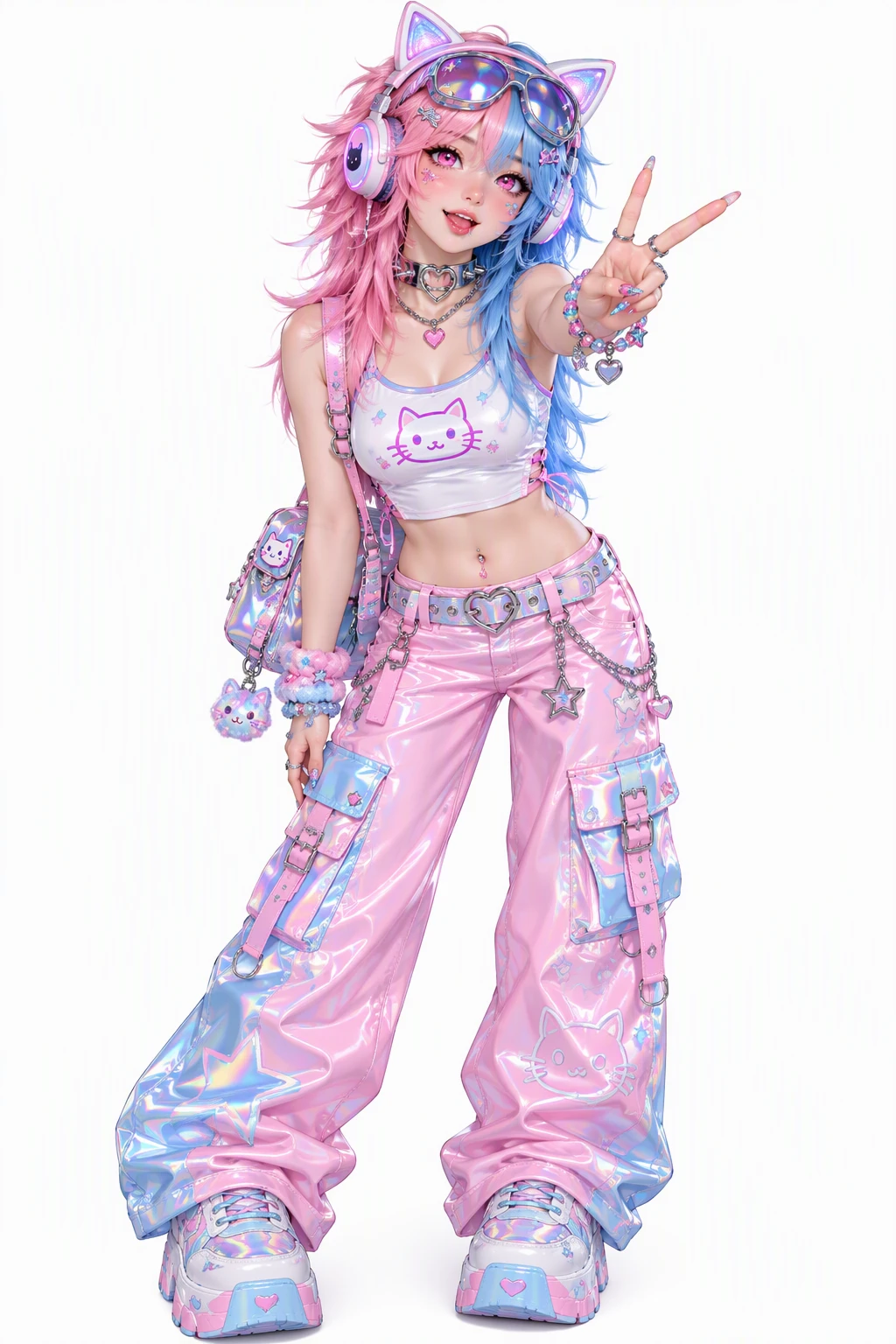 Character
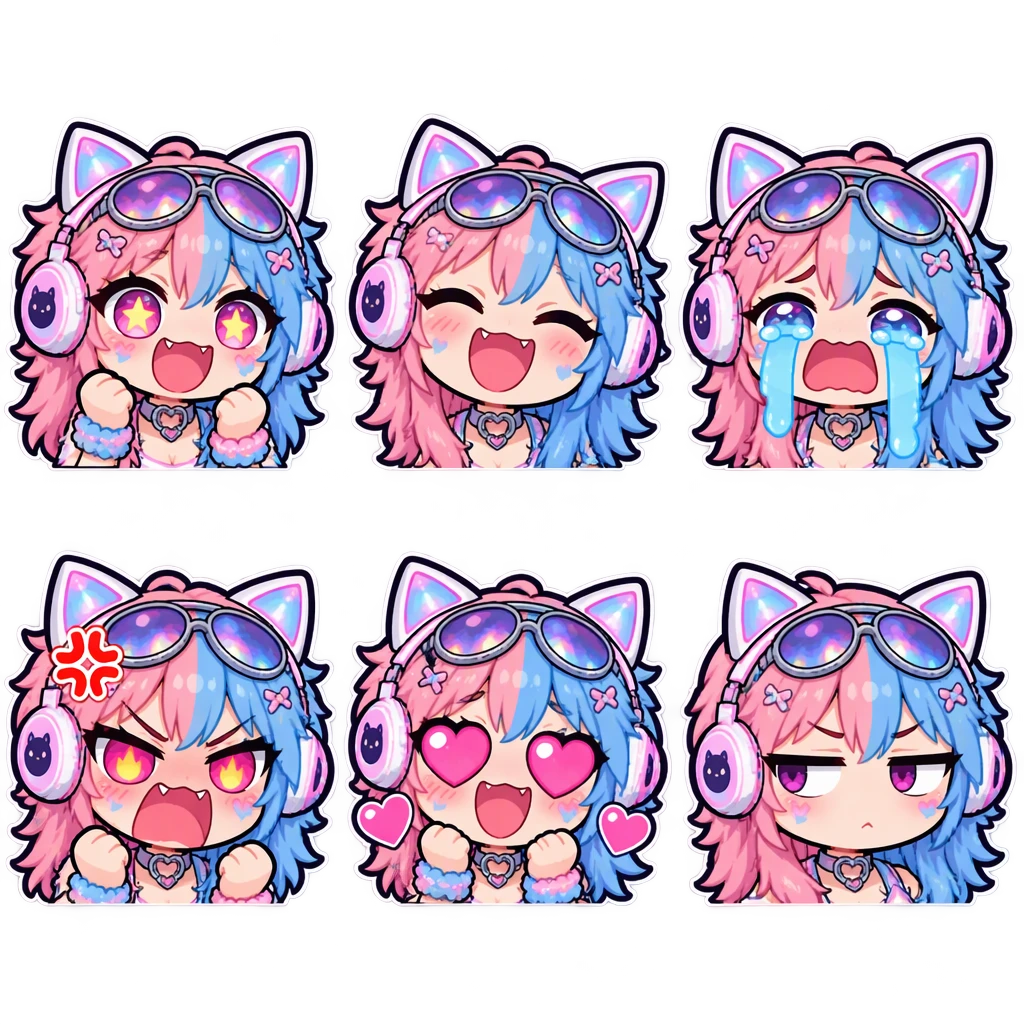 Emote sheet
Prompts
Character: Y2K aesthetic with chrome and holographic accents, bubbly early-2000s fashion and glossy candy colors. A bubbly streamer with split-dyed pink and blue hair in a wolf cut and sparkly pink eyes, wearing a crop top with cat-ear headphones, a chunky choker and sunglasses pushed up, throwing a peace sign. Single character, full body, clean white background.
Emote sheet (with the character as reference): Emote sheet of the same character as the reference image: six chibi Twitch-style chat emotes arranged in a strict grid of 2 rows by 3 columns with equal square cells and generous spacing between them, one emote per cell in this order: hyped, laughing, crying, raging, heart eyes, suspicious side-eye. Each emote is an oversized chibi head with tiny shoulders filling the cell, with a huge, exaggerated, instantly readable expression. Keep the exact same design, colors, hairstyle and face. Thick clean dark outlines plus a thin white outer outline so each emote reads on both dark and light chat themes, flat saturated colors, minimal shading, no tiny details, so every emote stays readable at 28 pixels. Plain transparent background, no cell borders, no text, no watermark.
How to make Twitch emotes
Add your art
Drop in one or more images: PNG, JPG or WebP. Want new art? Use the AI form at the top and pick six expressions for your character.
Fit or crop to a square
Keep the whole image with a small margin, or fill the square and crop the edges. Check the 28 px preview on dark and light chat.
Download and upload to Twitch
Save the 112 px PNG and let Twitch make the rest, or download the ZIP with every size, then add the emotes in your Twitch creator dashboard.
Twitch emote sizes, explained
Twitch uses three emote sizes: 28 × 28, 56 × 56 and 112 × 112 px. Its upload rules ask for square PNGs of 1 MB or less: send one image of at least 112 × 112 px and Twitch resizes it for you, or upload the three sizes yourself if you want to touch up the small ones by hand.
Design for 28 px — it is the size a busy chat shows at normal zoom. This Twitch emote resizer scales down in halving steps instead of one jump, which keeps thin lines from breaking up, and it adds a 128 px copy for Discord so the same emote works in your community server.
Free resizer or AI emote set: which one to use
Use the free resizer when you already have emote art — your own drawing, a commission, a sticker you made earlier. It only squares, pads and resizes; nothing is redrawn and nothing is uploaded.
Use the AI emote set when you want new emotes of your character. One sheet gives six — for example hyped, laughing, crying, raging, heart eyes and a suspicious side-eye — drawn as big chibi heads with bold outlines and flat colors, the style that survives 28 px.
Emotes that match your PNGtuber and stickers
Every AI emote set is drawn from a character saved in your library — the same one you can use for PNGtuber frames, Discord stickers or a chibi. Your channel's emotes, avatar and server stickers end up sharing one face.
No character yet? Describe one in a sentence or two — hair, eyes, outfit, a signature accessory — and the six emotes are drawn straight from that for 10 credits.
Twitch Emote Maker FAQ
Is this Twitch emote maker free?
The resizer is free and needs no account. The AI emote set costs 10 credits for six emotes and needs a free account; new accounts get 20 free credits that last 30 days.
What size should Twitch emotes be?
Square PNGs at 112 × 112, 56 × 56 and 28 × 28 px, each 1 MB or smaller. If you upload a single image of at least 112 × 112 px, Twitch makes the other two sizes for you.
Can I make Twitch emotes from an image?
Yes. Drop any PNG, JPG or WebP into the resizer and choose Fit or Fill. If you'd rather have new emotes drawn from your image, upload it in the AI form at the top — the emotes are drawn from it, and it's saved as your character.
Does the resizer use AI?
No. It runs in your browser: it squares the image, adds the margin you choose and scales it down. Your files are never uploaded.
Can it make animated emotes?
Not yet. The resizer and the AI set both make static PNG emotes.
Will the emotes work on Discord too?
Yes. The ZIP has a 128 px copy of every emote in a discord folder, and the AI sheet's export does the same.
How do I make my Twitch emotes readable in chat?
Chat shows emotes at 28 px on most screens, so design for that size: a big face or one clear shape, a thick outline, strong contrast and no small text. Crop tight before you download, and preview the 28 px version to check it still reads.
No character yet?
Describe one and DrawMyOC draws it, then keeps every token, sticker and sheet you make from it in one library.