
PNGtuber Maker
Turn your character into a PNGtuber avatar. AI draws four matching frames — idle, talking, blinking, and talking with eyes closed — as transparent PNGs ready for your PNGtuber app.
PNGtuber frames of your character
Your character
Framing
Generates 4 images — the other states start once the first one finishes.
At a glance
- Output: four 1024 × 1024 transparent PNGs of the same pose — mouth closed, mouth open, eyes closed, and mouth open with eyes closed.
- The talking and blinking frames are drawn from the idle frame and told to change only the face, so pose, framing and size stay in place.
- Framing: bust, half body or full body.
- Cost: 40 credits per set, 10 per frame (24 and 6 with High quality off). Frames that fail don't use credits.
- New accounts get 20 free credits, valid for 30 days.
Made with DrawMyOC
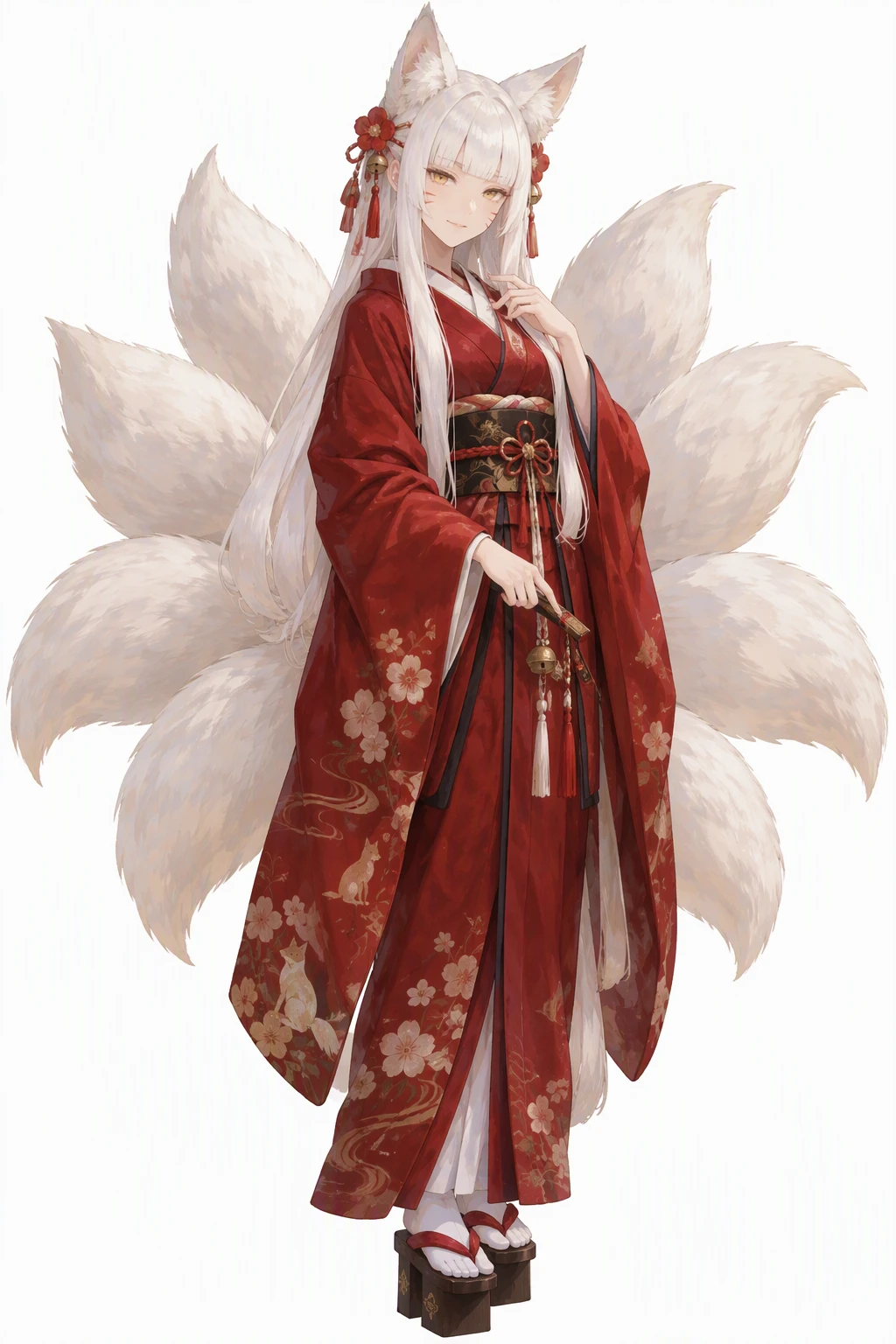
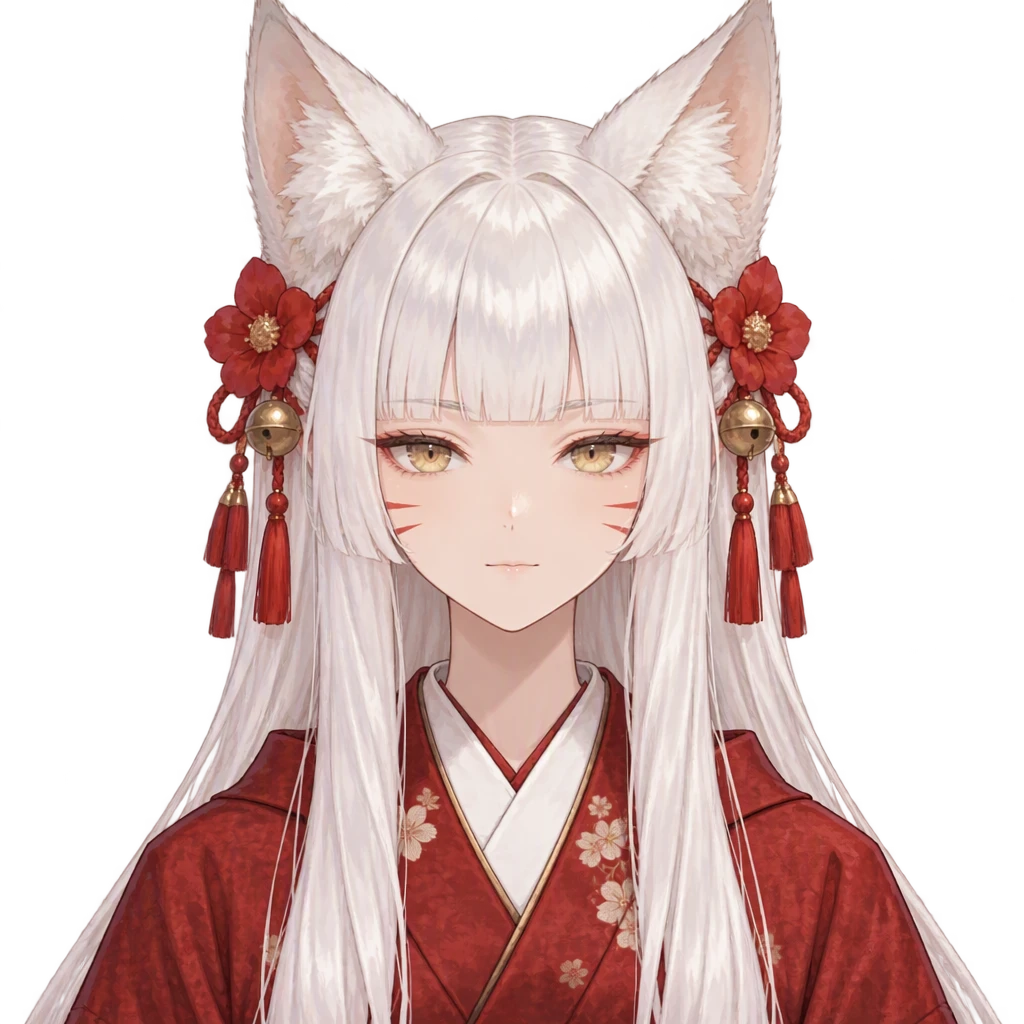
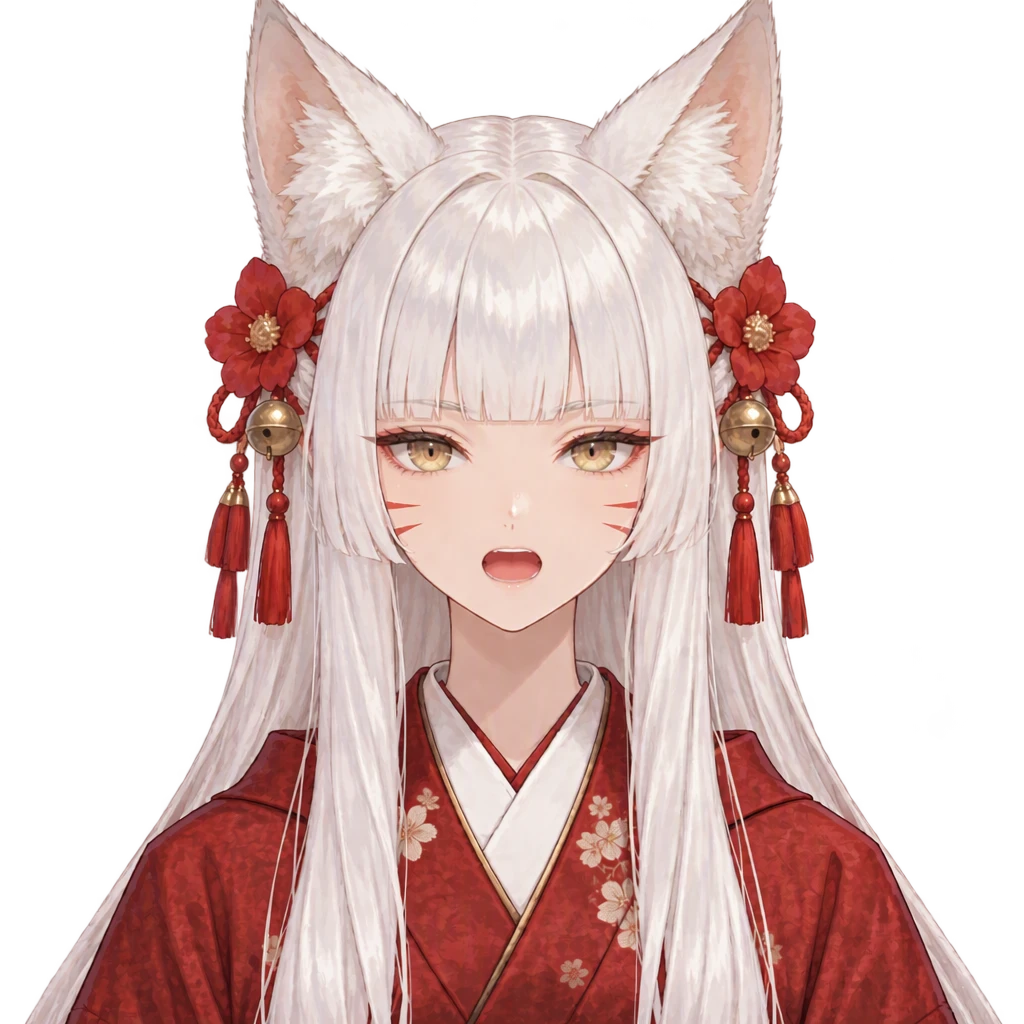
Real characters, each turned into a four-frame PNGtuber set on this site. Open “Prompts” to read the exact text that made each frame.
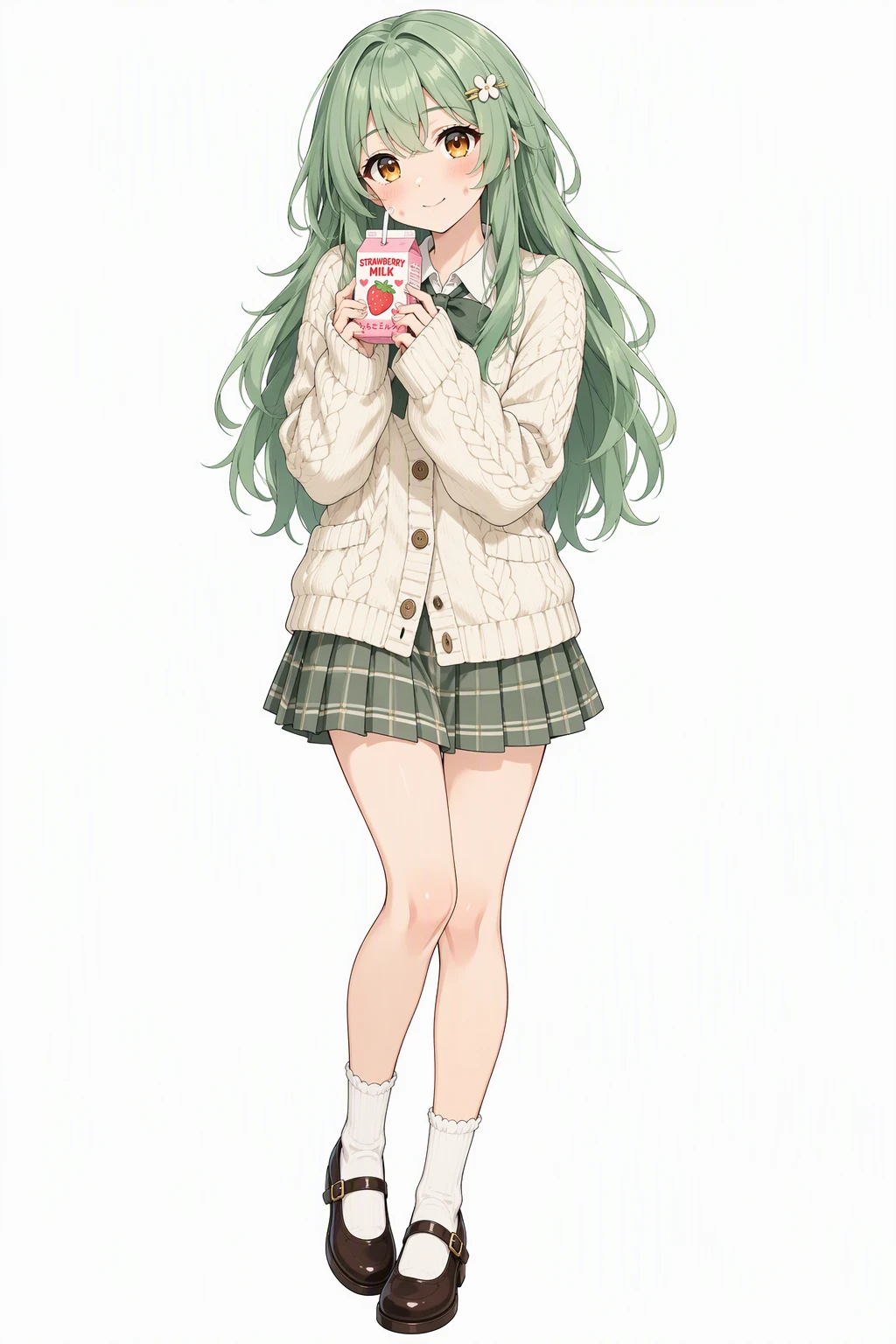 Character
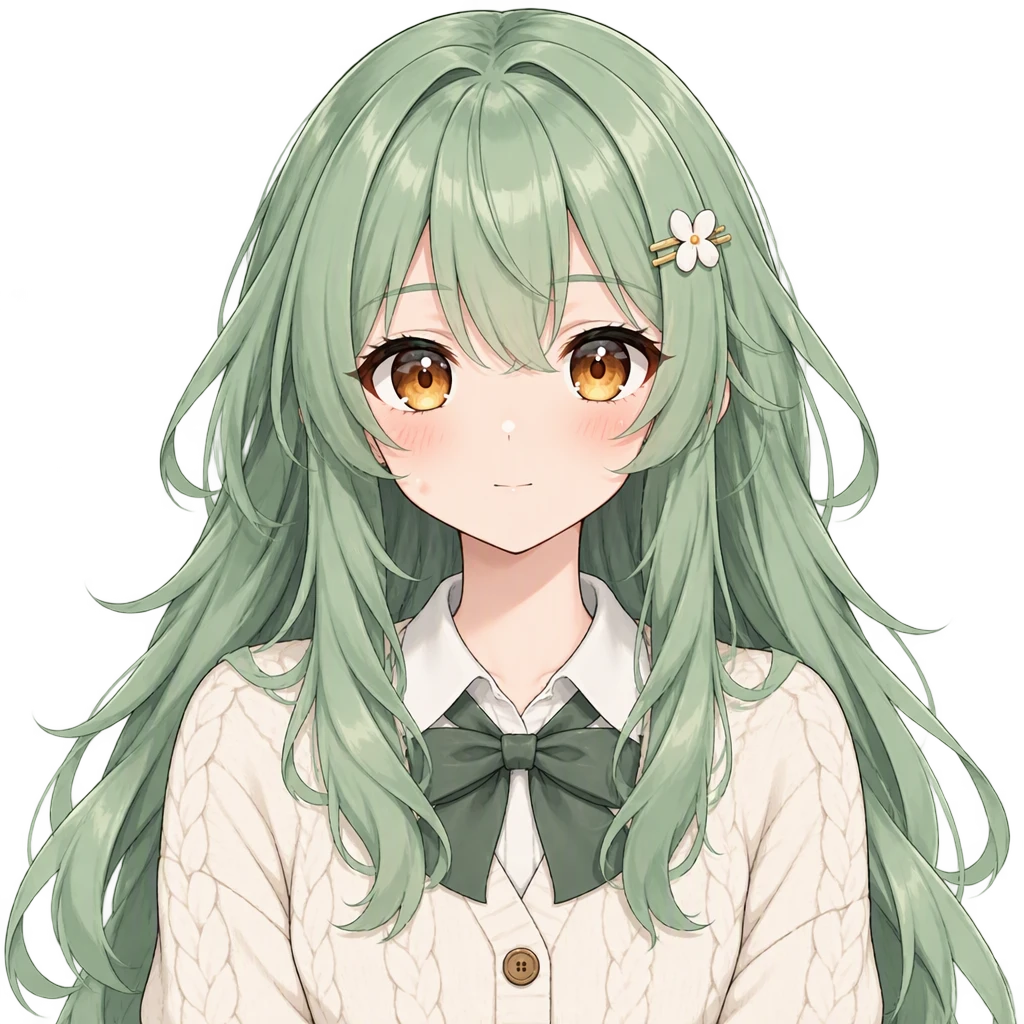 Idle
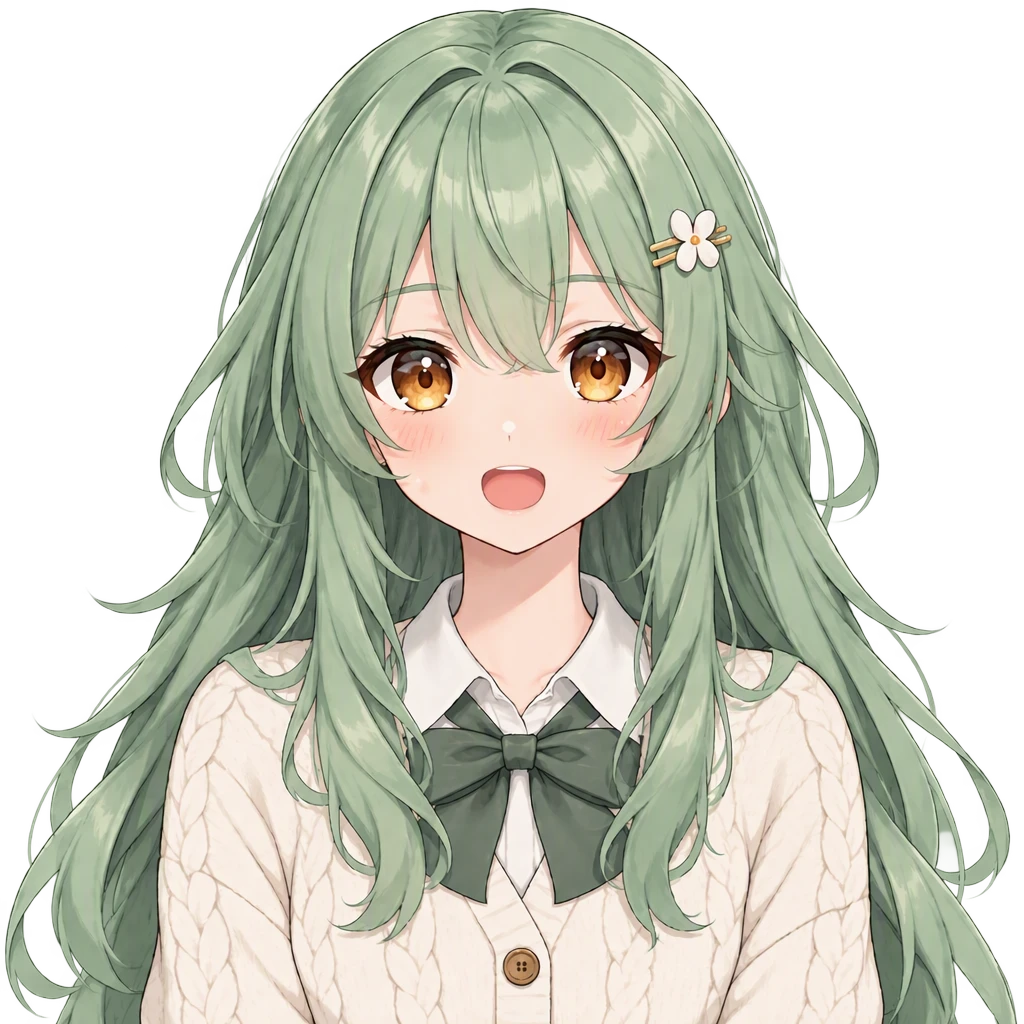 Talking
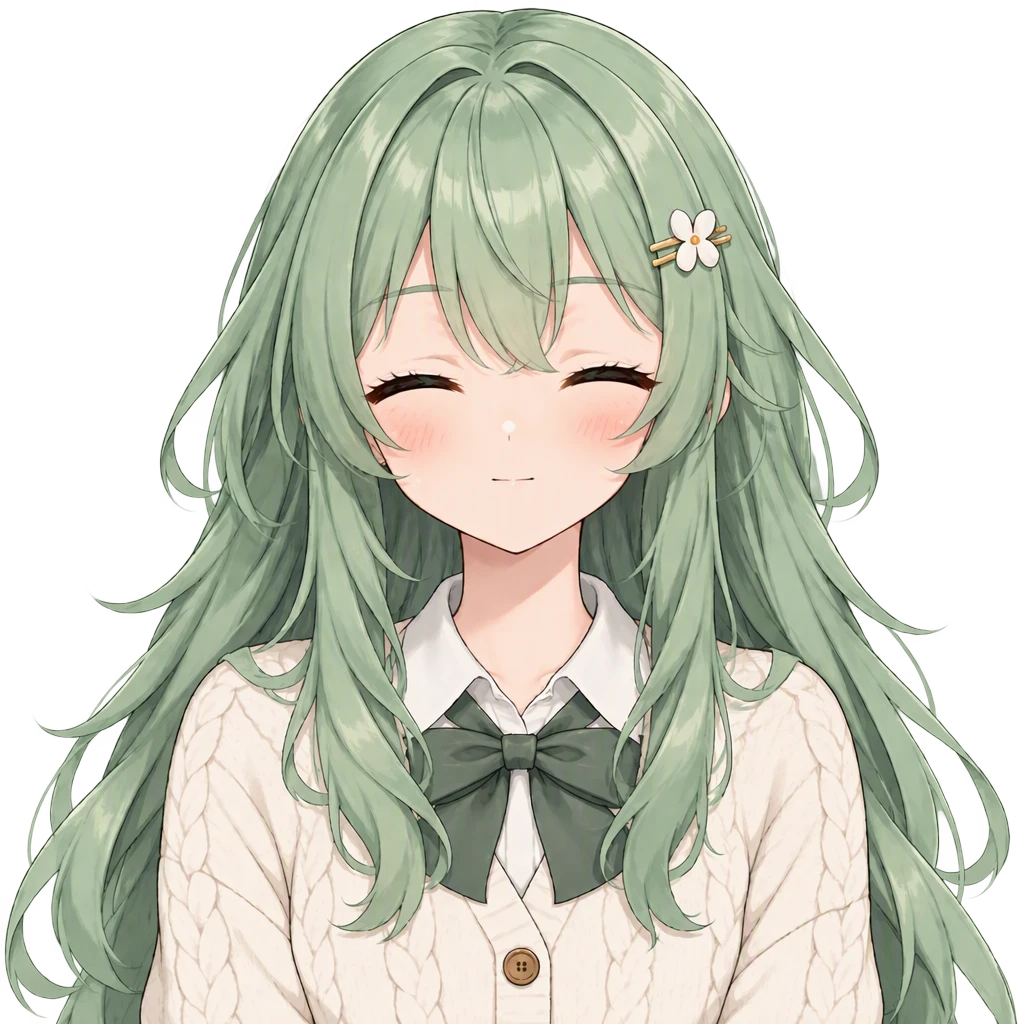 Blink
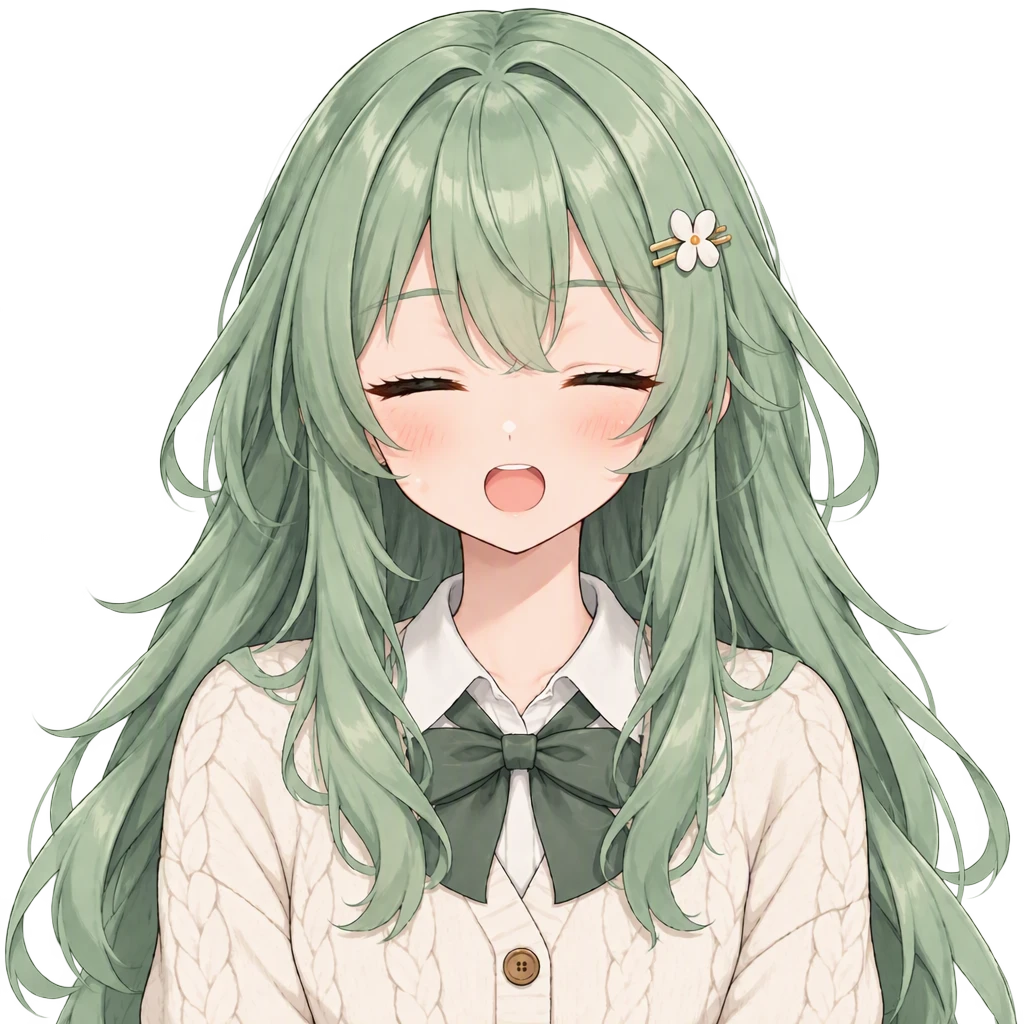 Talk + blink
Prompts
Character: Vibrant anime illustration with clean line art, cel shading and expressive large eyes. A cheerful young woman with long layered mint-green hair, warm amber eyes and dimpled fair cheeks, wearing a cream knitted cardigan over a pleated skirt with Mary Janes and a small hair clip, holding a strawberry milk carton with a shy soft smile. Single character, full body, clean white background.
Idle frame (with the character as reference): Front-facing portrait of the same character as the reference image, for a PNGtuber avatar. Keep the exact same design, colors, outfit, hairstyle, face and art style. Head and shoulders centered and facing the viewer, calm neutral expression, mouth closed, eyes open, plain transparent background, nothing else in frame.
Talking frame (with the idle frame as reference): Reproduce the reference image exactly: same character, same pose, same framing, same size and position in the frame, same lighting, same colors, same line work, pixel-aligned with the reference. Change ONLY the facial expression: mouth open as if talking mid-sentence, eyes open. Plain transparent background, nothing else in frame.
Blink frame (with the idle frame as reference): Reproduce the reference image exactly: same character, same pose, same framing, same size and position in the frame, same lighting, same colors, same line work, pixel-aligned with the reference. Change ONLY the facial expression: mouth closed, both eyes fully closed as in a blink. Plain transparent background, nothing else in frame.
Talking + blink frame (with the idle frame as reference): Reproduce the reference image exactly: same character, same pose, same framing, same size and position in the frame, same lighting, same colors, same line work, pixel-aligned with the reference. Change ONLY the facial expression: mouth open as if talking mid-sentence, both eyes fully closed as in a blink. Plain transparent background, nothing else in frame.
 Character
 Idle
 Talking
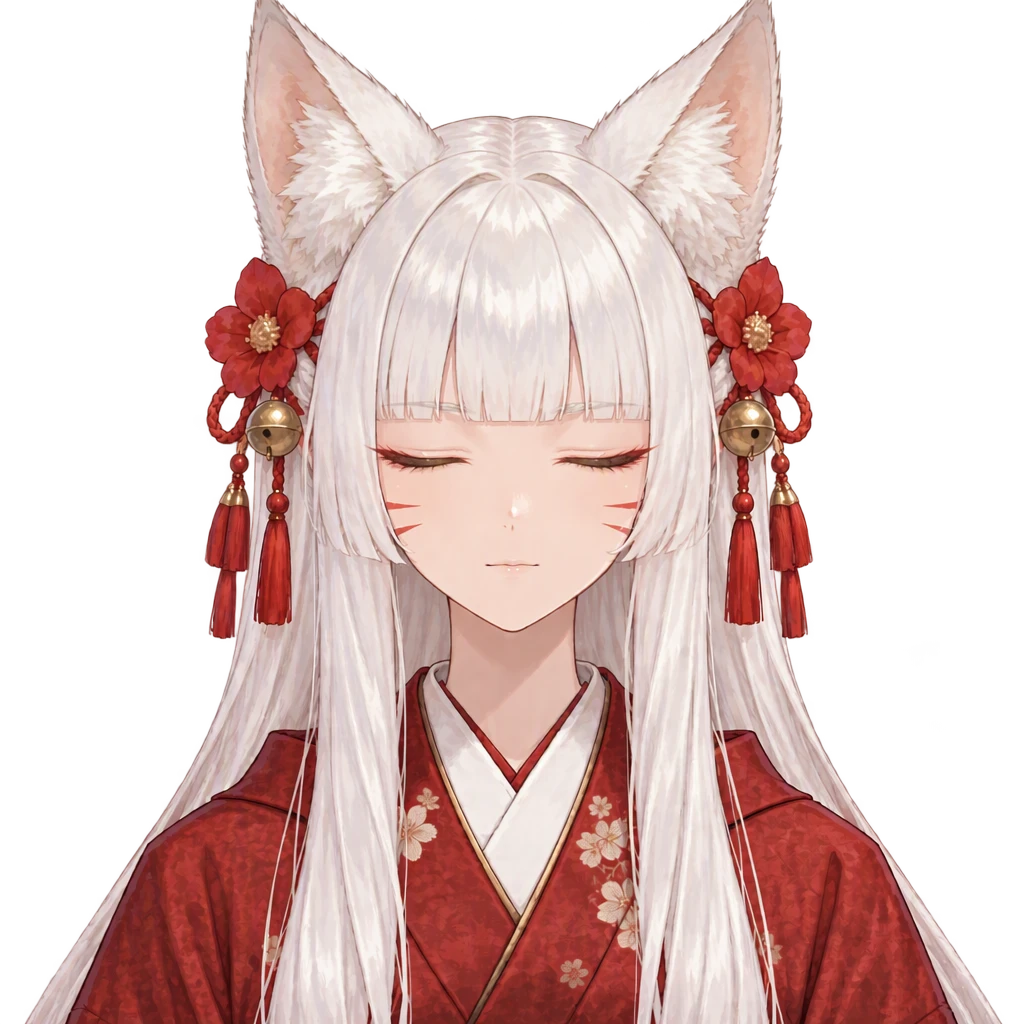 Blink
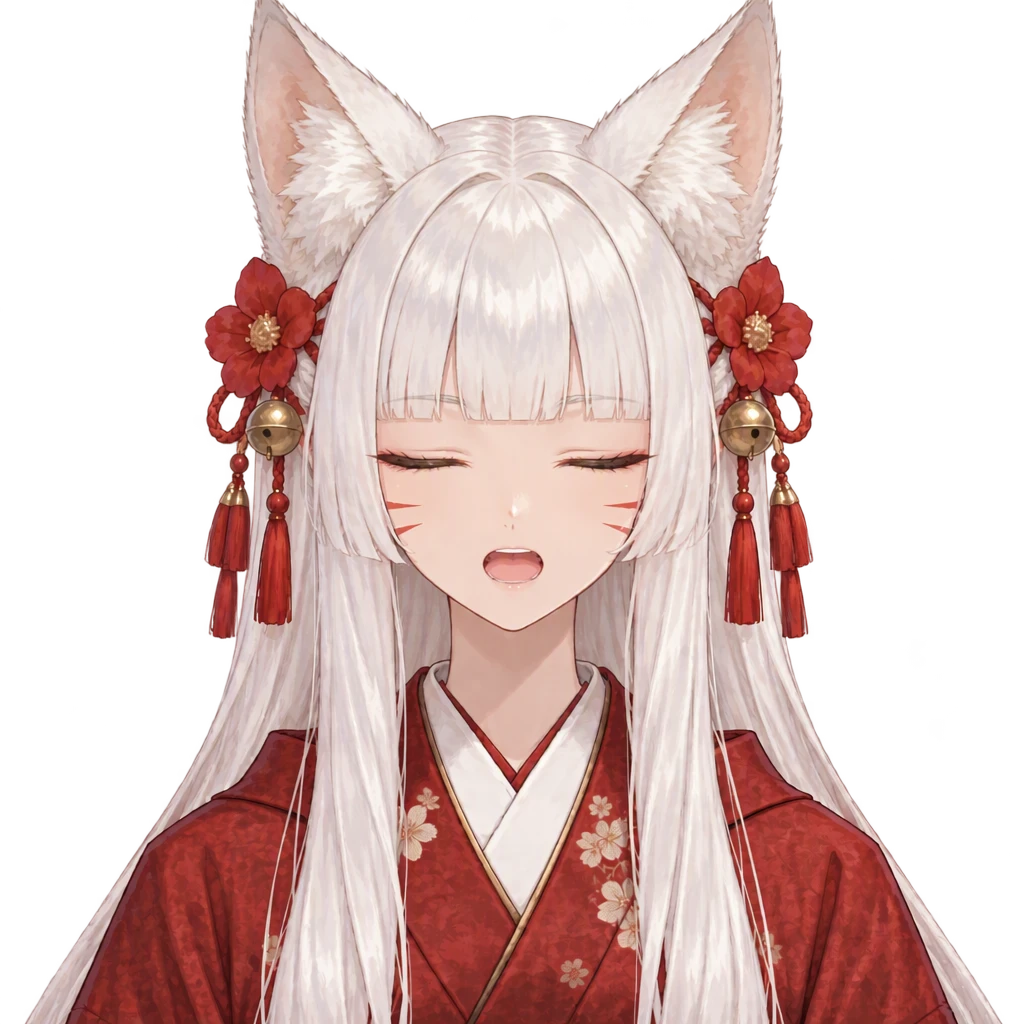 Talk + blink
Prompts
Character: Hand-painted anime style with soft painterly brushwork and gentle color blending. A fox spirit shrine keeper with long white hime-cut hair, golden eyes and faint whisker marks on her cheeks, fox ears and tails fanned out behind a deep red kimono, geta on her feet, wearing a quiet mysterious smile. Single character, full body, clean white background.
Idle frame (with the character as reference): Front-facing portrait of the same character as the reference image, for a PNGtuber avatar. Keep the exact same design, colors, outfit, hairstyle, face and art style. Head and shoulders centered and facing the viewer, calm neutral expression, mouth closed, eyes open, plain transparent background, nothing else in frame.
Talking frame (with the idle frame as reference): Reproduce the reference image exactly: same character, same pose, same framing, same size and position in the frame, same lighting, same colors, same line work, pixel-aligned with the reference. Change ONLY the facial expression: mouth open as if talking mid-sentence, eyes open. Plain transparent background, nothing else in frame.
Blink frame (with the idle frame as reference): Reproduce the reference image exactly: same character, same pose, same framing, same size and position in the frame, same lighting, same colors, same line work, pixel-aligned with the reference. Change ONLY the facial expression: mouth closed, both eyes fully closed as in a blink. Plain transparent background, nothing else in frame.
Talking + blink frame (with the idle frame as reference): Reproduce the reference image exactly: same character, same pose, same framing, same size and position in the frame, same lighting, same colors, same line work, pixel-aligned with the reference. Change ONLY the facial expression: mouth open as if talking mid-sentence, both eyes fully closed as in a blink. Plain transparent background, nothing else in frame.
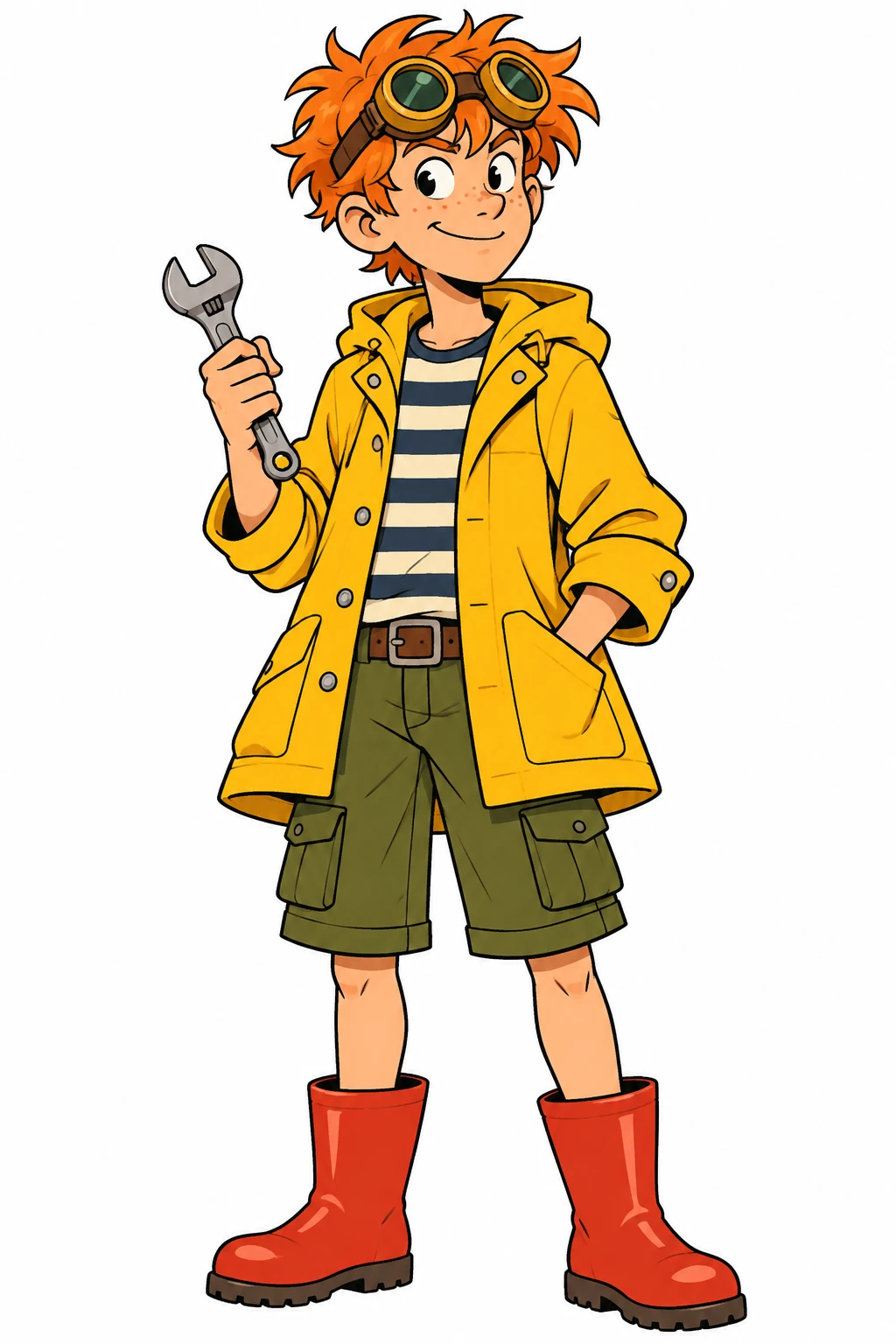 Character
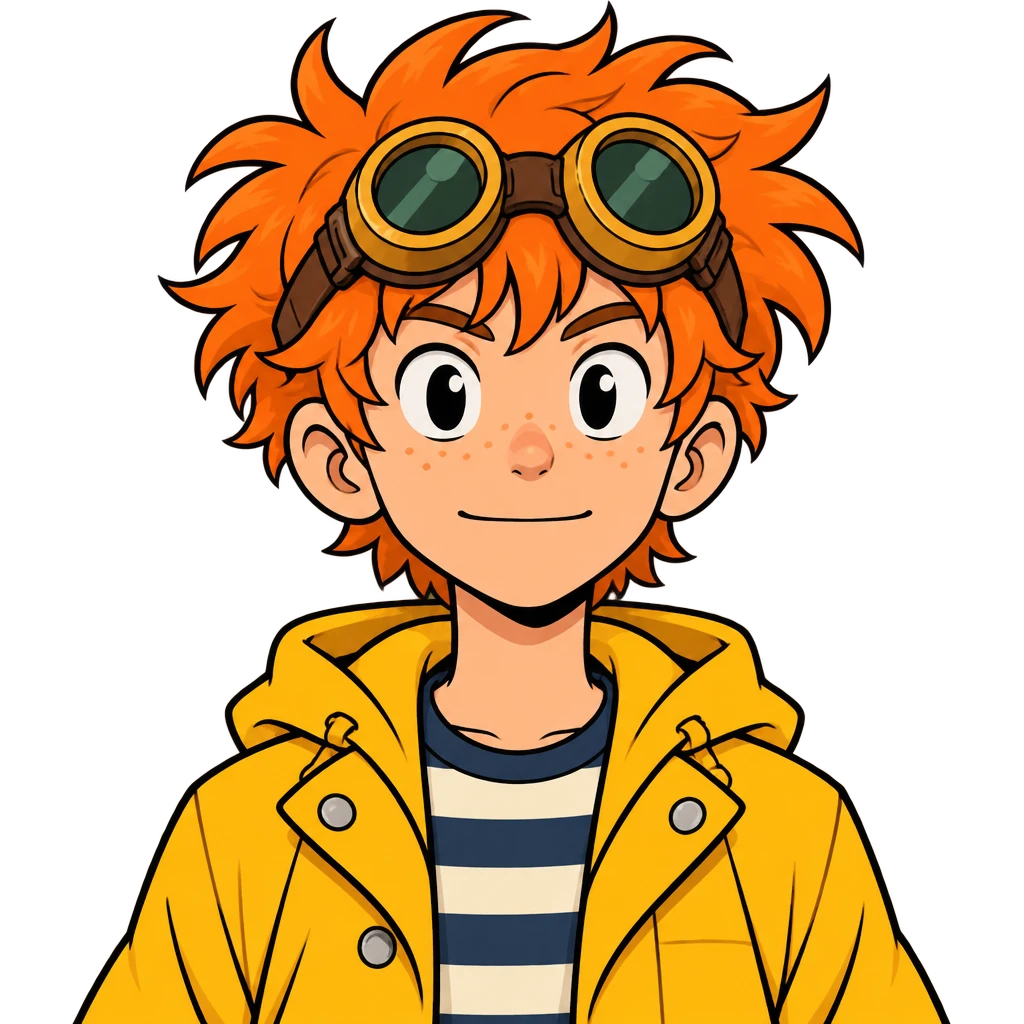 Idle
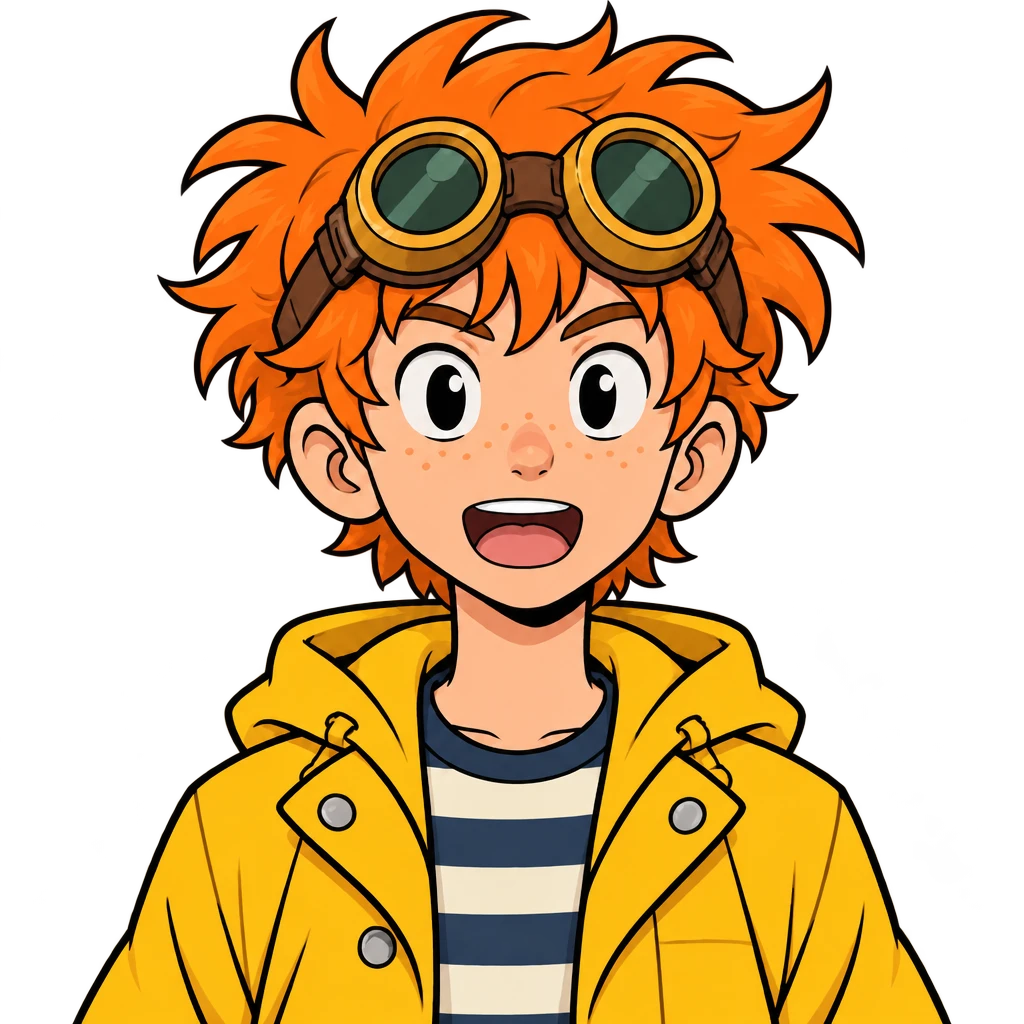 Talking
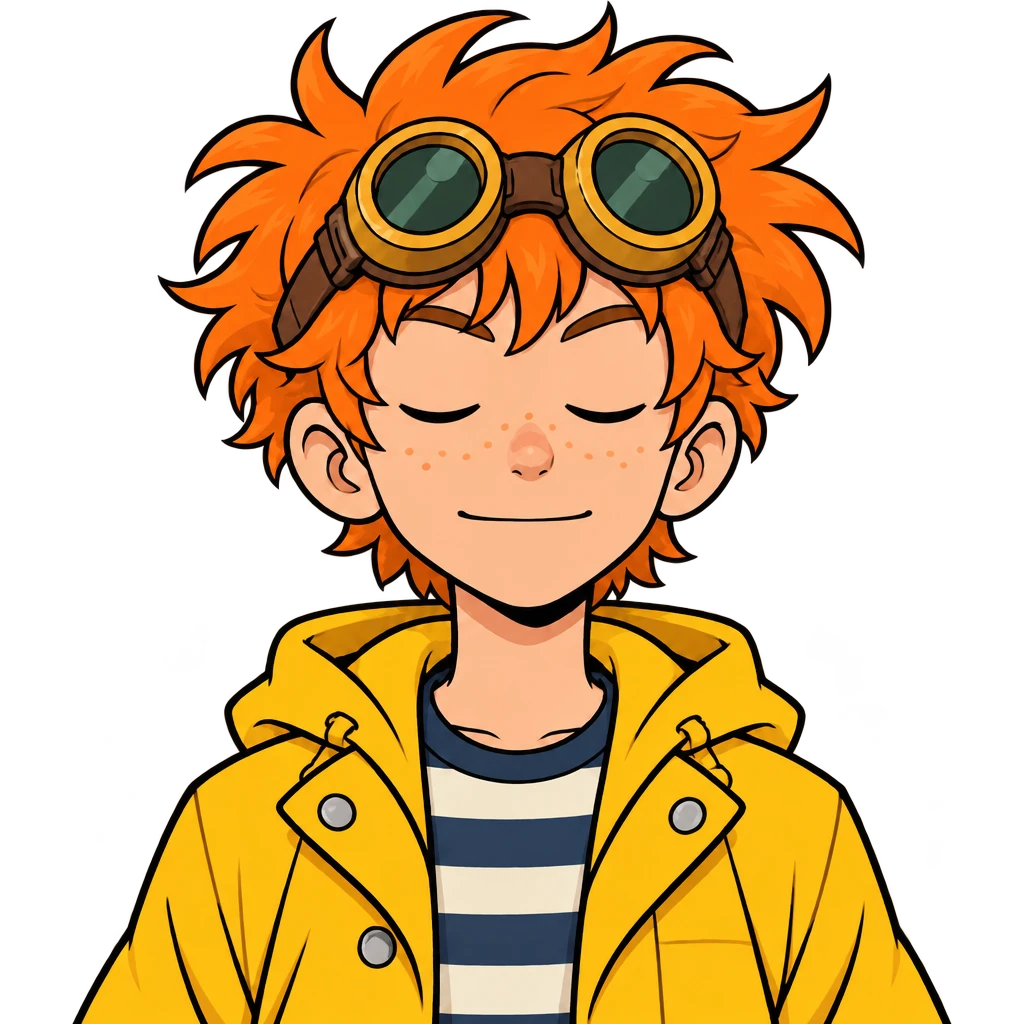 Blink
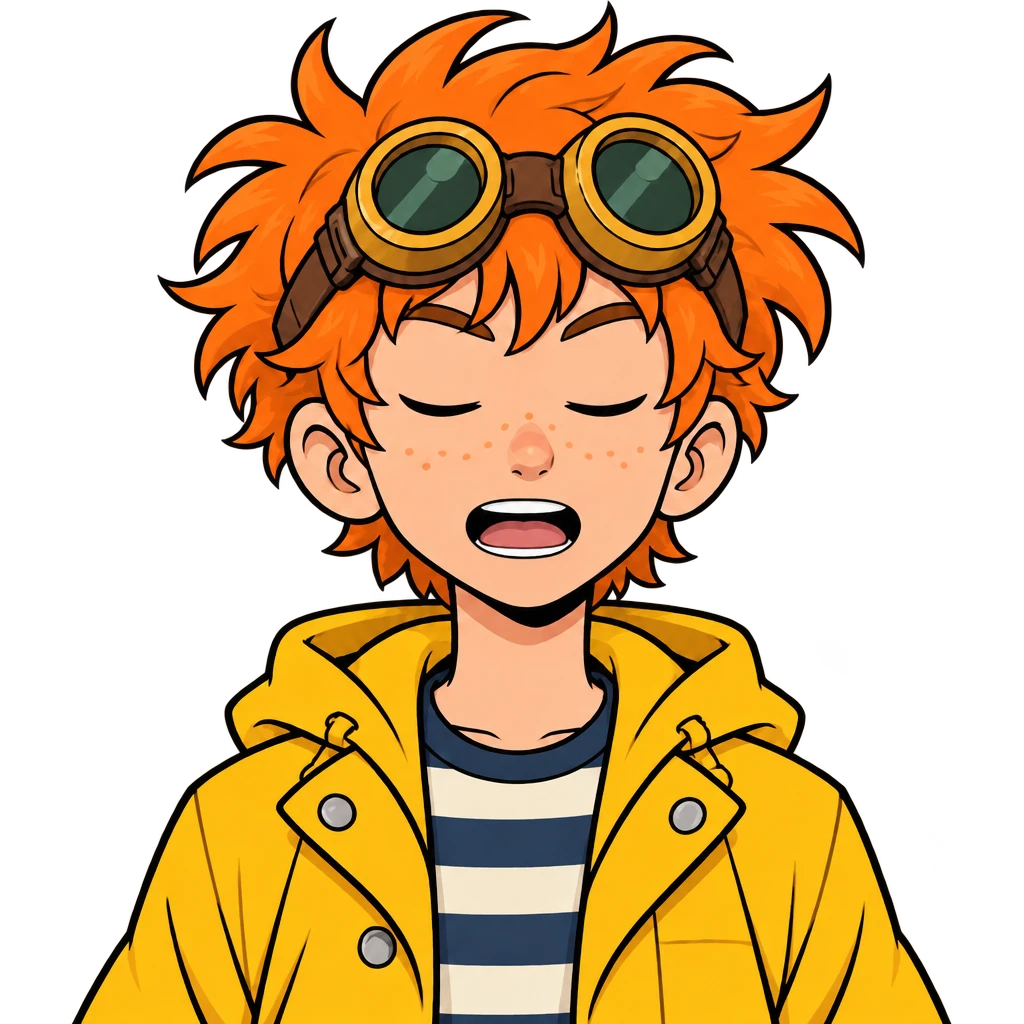 Talk + blink
Prompts
Character: Western cartoon style with bold clean outlines and flat bright colors. A teenage boy inventor with messy orange hair, round brass goggles pushed up on his forehead and freckles, wearing a yellow raincoat over a striped shirt, cargo shorts and red rubber boots, holding a small wrench. Full body, standing, plain white background.
Idle frame (with the character as reference): Front-facing portrait of the same character as the reference image, for a PNGtuber avatar. Keep the exact same design, colors, outfit, hairstyle, face and art style. Head and shoulders centered and facing the viewer, calm neutral expression, mouth closed, eyes open, plain transparent background, nothing else in frame.
Talking frame (with the idle frame as reference): Reproduce the reference image exactly: same character, same pose, same framing, same size and position in the frame, same lighting, same colors, same line work, pixel-aligned with the reference. Change ONLY the facial expression: mouth open as if talking mid-sentence, eyes open. Plain transparent background, nothing else in frame.
Blink frame (with the idle frame as reference): Reproduce the reference image exactly: same character, same pose, same framing, same size and position in the frame, same lighting, same colors, same line work, pixel-aligned with the reference. Change ONLY the facial expression: mouth closed, both eyes fully closed as in a blink. Plain transparent background, nothing else in frame.
Talking + blink frame (with the idle frame as reference): Reproduce the reference image exactly: same character, same pose, same framing, same size and position in the frame, same lighting, same colors, same line work, pixel-aligned with the reference. Change ONLY the facial expression: mouth open as if talking mid-sentence, both eyes fully closed as in a blink. Plain transparent background, nothing else in frame.
How to make a PNGtuber
Add your character
Choose New character and describe it in a sentence or two, pick one of My OCs, or Upload art you already have (imported as-is, free).
Choose the framing
Bust, half body or full body. Every frame's prompt is shown before you generate, and you can edit it.
Load the frames into your app
Download the four PNGs. Set the closed-mouth frame as idle and the open-mouth frame as talking; add the eyes-closed pair if your app blinks.
What a PNGtuber avatar is
A PNGtuber is a streamer or creator whose on-screen avatar is a set of still images instead of a rigged 3D or Live2D model. A PNGtuber app listens to your microphone and swaps a closed-mouth picture for an open-mouth one while you talk; many apps also blink by switching to an eyes-closed version every few seconds.
So a PNGtuber model is really a small set of matching frames. If the frames don't line up — a shifted shoulder, a different hair outline — the avatar jumps every time you speak. This PNGtuber creator draws all four frames from one starting image to keep them aligned.
How the four frames stay aligned
The idle frame is drawn first, from your character. The talking, blink and talking-blink frames then use that idle frame as their reference, with a prompt that says to keep the same pose, framing, size, position and colors and change only the facial expression.
AI can still move a few pixels between frames, so flick through all four before you go live. If one doesn't line up, generate the set again. Frames that fail to generate don't use credits.
A PNGtuber generator for your own character
The frames come from a character saved in your library, so the same face can later become Twitch emotes, Discord stickers, a chibi or a turnaround sheet without redrawing anything.
No art yet? Describe the character — art style, hair, eyes, outfit, one detail people will remember — and the four PNGtuber frames are drawn straight from that (40 credits), no separate character step.
PNGtuber Maker FAQ
How much does this PNGtuber maker cost?
A set of four frames costs 40 credits, or 24 with High quality off, whether you start from your art or from a description. New accounts get 20 free credits that last 30 days.
Can AI make me a PNGtuber?
Yes. Upload your character art or describe the character, pick a framing, and the AI draws the idle, talking and blinking frames. You run them in the PNGtuber app of your choice.
How do I use the frames in a PNGtuber app?
Load the mouth-closed, eyes-open frame as the idle image and the mouth-open frame as the talking image. If your app blinks, add the two eyes-closed frames as the blinking versions. All four are transparent PNGs, so they sit on top of your stream layout.
Do I need to know how to draw?
No. Upload art you already have, or describe the character in plain English and let the AI draw it first.
Is there a no-AI option?
Not on this page — every frame here is drawn by AI. If you want a fully hand-made avatar, draw or commission the frames and load them into your PNGtuber app the same way.
What size are the frames?
Each frame is a 1024 × 1024 PNG with a transparent background, so you can scale it down to fit your scene.
Can I make a PNGtuber on my phone?
You can make the frames on your phone: the generator runs in a mobile browser and the ZIP saves to your files. PNGtuber apps such as veadotube mini and PNGTuber Plus run on a computer, so that is where you load the frames for streaming.
No character yet?
Describe one and DrawMyOC draws it, then keeps every token, sticker and sheet you make from it in one library.