
DnD Token Maker
Let AI draw a clean, front-facing bust of your character and crop it into a round token for Roll20, Foundry VTT and Owlbear Rodeo — or crop art you already have, free in your browser.
AI token bust of your character
Your character
At a glance
- Free crop: no account, no AI, and your image never leaves your browser.
- Output: a square transparent PNG at 280, 512 or 1024 px, with a ring in any color and width.
- Works in Roll20, Foundry VTT, Owlbear Rodeo and any virtual tabletop that accepts PNG tokens.
- AI bust: 10 credits, or 6 with High quality off. It redraws your character's head and shoulders, front-facing on a transparent background, keeping the same face, hair and outfit.
- New accounts get 20 free credits, valid for 30 days. Failed generations don't use credits.
Made with DrawMyOC
Real characters, each turned into a bust and a token on this site. Open “Prompts” to read the exact text that made each image.
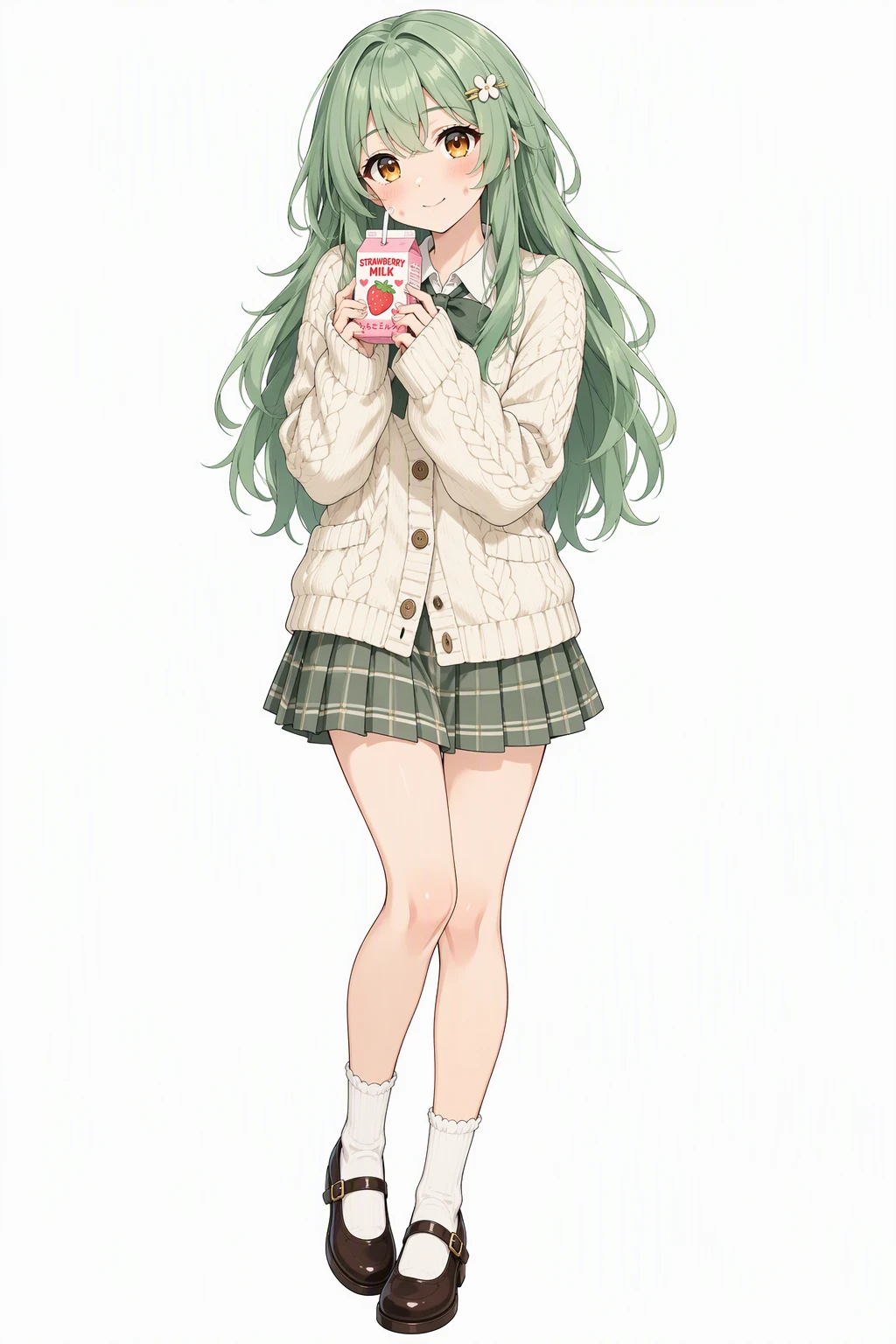 Character
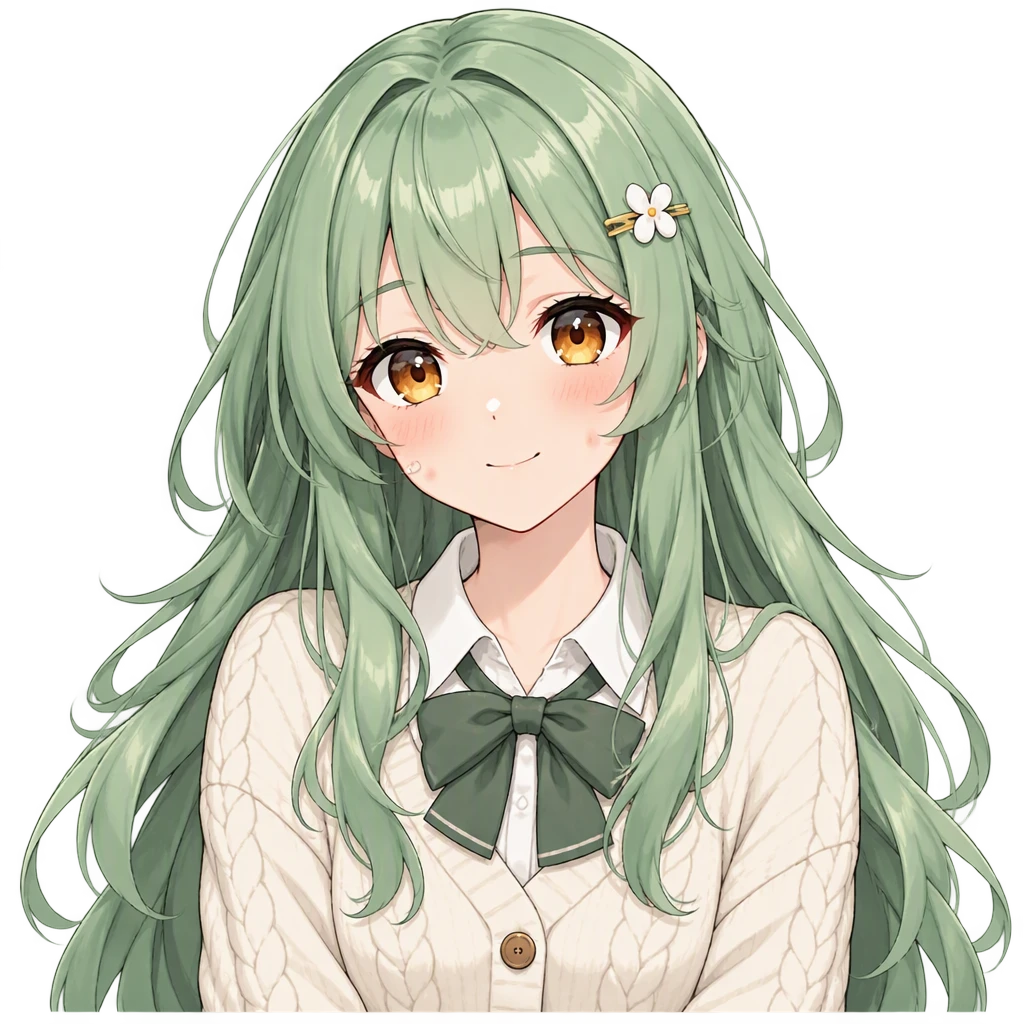 AI bustToken
Prompts
Character: Vibrant anime illustration with clean line art, cel shading and expressive large eyes. A cheerful young woman with long layered mint-green hair, warm amber eyes and dimpled fair cheeks, wearing a cream knitted cardigan over a pleated skirt with Mary Janes and a small hair clip, holding a strawberry milk carton with a shy soft smile. Single character, full body, clean white background.
Bust (with the character as reference): Front-facing bust portrait for a tabletop game token. Same character as the reference image. Keep the exact same design, colors, outfit, hairstyle, face and art style. Head and shoulders centered and facing the viewer, plain transparent background, nothing else in frame.
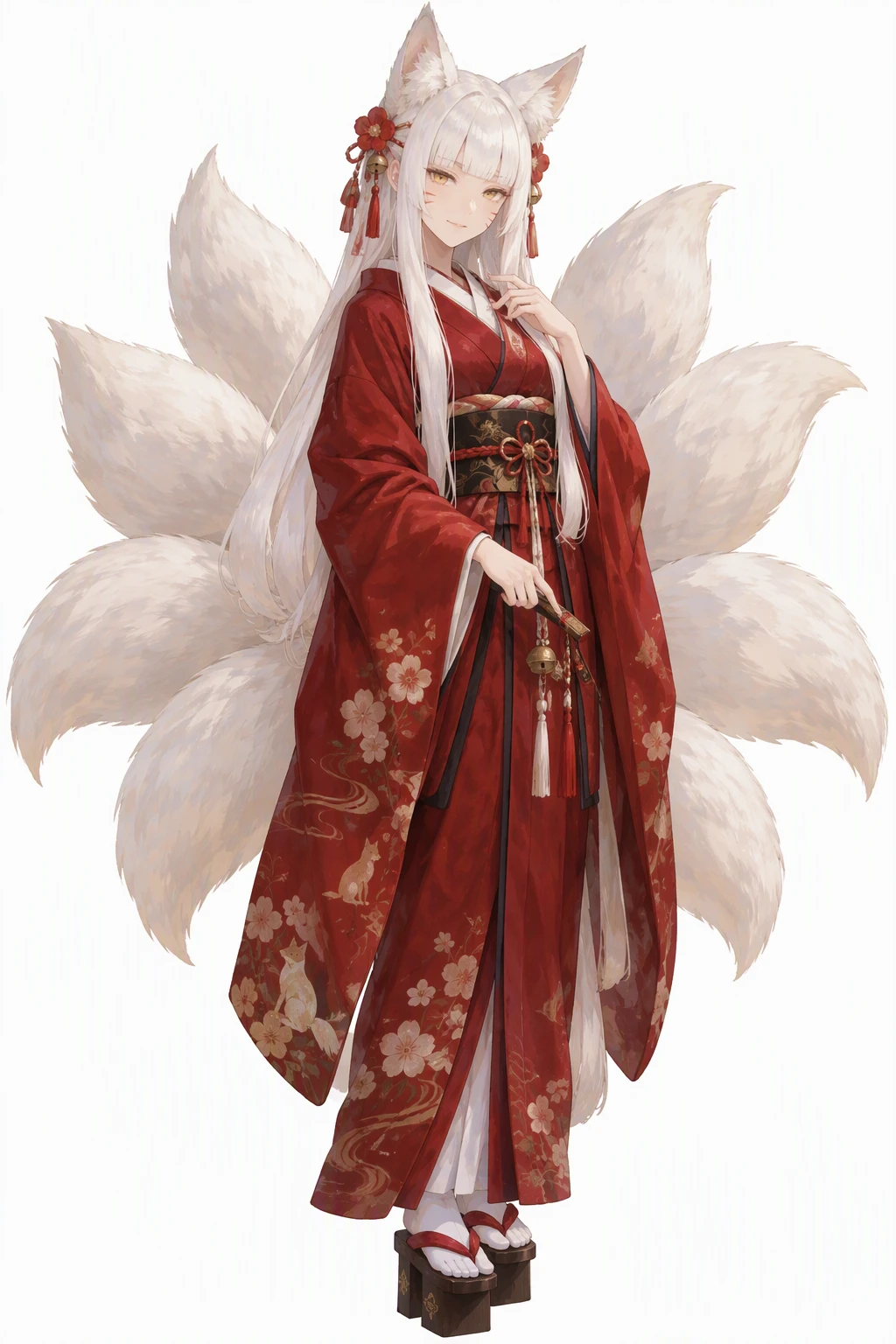 Character
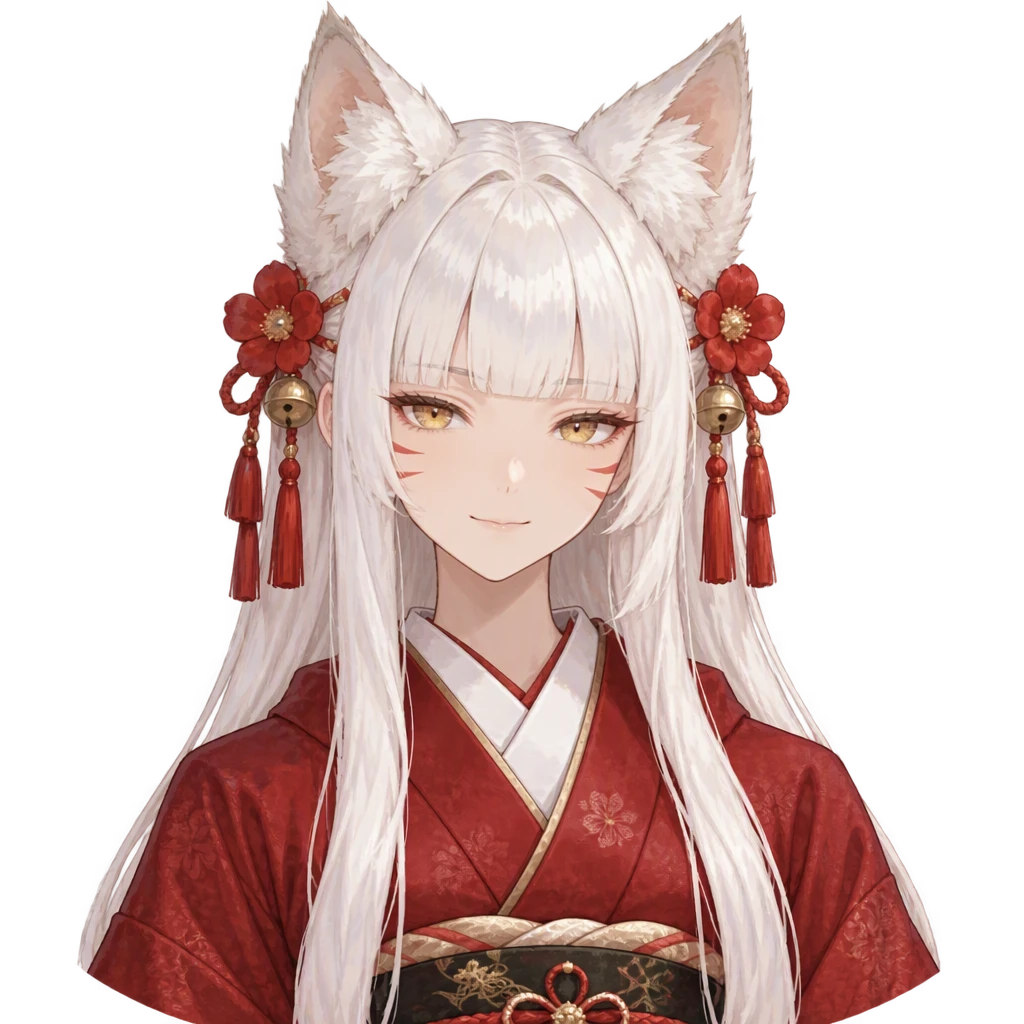 AI bustToken
Prompts
Character: Hand-painted anime style with soft painterly brushwork and gentle color blending. A fox spirit shrine keeper with long white hime-cut hair, golden eyes and faint whisker marks on her cheeks, fox ears and tails fanned out behind a deep red kimono, geta on her feet, wearing a quiet mysterious smile. Single character, full body, clean white background.
Bust (with the character as reference): Front-facing bust portrait for a tabletop game token. Same character as the reference image. Keep the exact same design, colors, outfit, hairstyle, face and art style. Head and shoulders centered and facing the viewer, plain transparent background, nothing else in frame.
 Character
 AI bustToken
Prompts
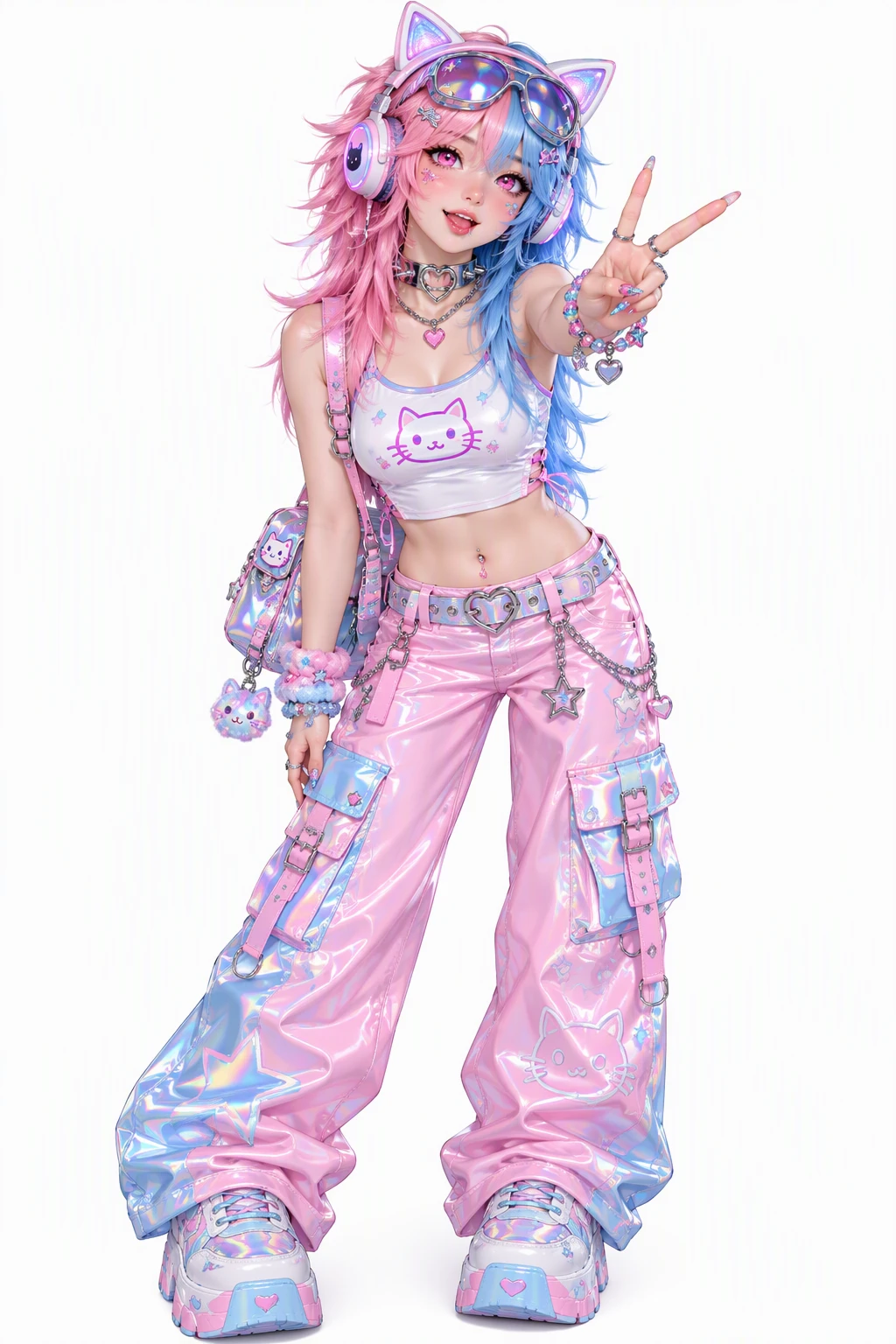
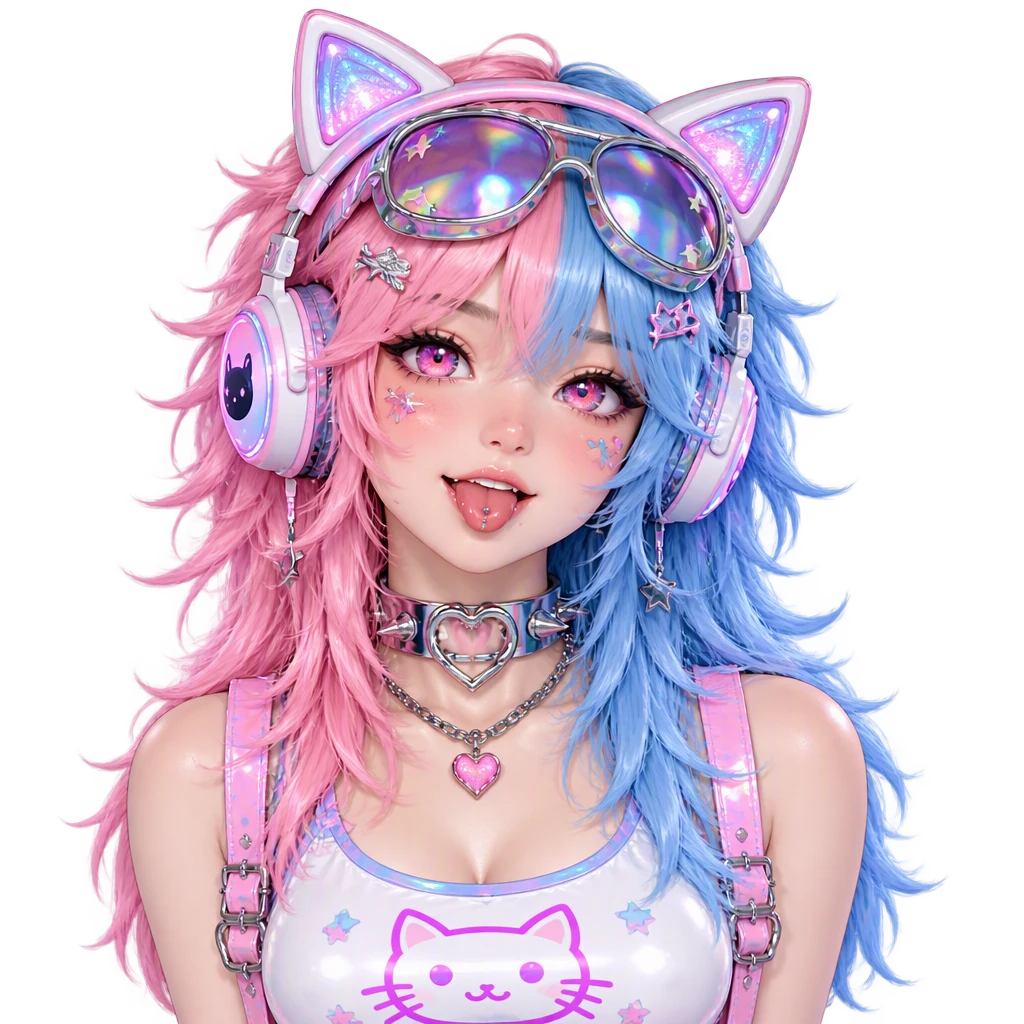
Character: Y2K aesthetic with chrome and holographic accents, bubbly early-2000s fashion and glossy candy colors. A bubbly streamer with split-dyed pink and blue hair in a wolf cut and sparkly pink eyes, wearing a crop top with cat-ear headphones, a chunky choker and sunglasses pushed up, throwing a peace sign. Single character, full body, clean white background.
Bust (with the character as reference): Front-facing bust portrait for a tabletop game token. Same character as the reference image. Keep the exact same design, colors, outfit, hairstyle, face and art style. Head and shoulders centered and facing the viewer, plain transparent background, nothing else in frame.
How to make a DnD token
Add your character
Upload art you already have: a PNG, JPG or WebP. No art yet? Switch to AI bust and describe the character instead.
Frame the face and pick a ring
Zoom in and slide the image until the face sits inside the circle, then choose a ring color and width that read well on your map.
Download and drop it on the map
Pick 280, 512 or 1024 px and save the transparent PNG. Drag it onto Roll20, Foundry or Owlbear Rodeo like any other token.
Token sizes for Roll20, Foundry VTT and Owlbear Rodeo
Roll20 draws its grid at 70 × 70 px per square at 100% zoom, but its art guidelines ask for 280 × 280 px per square, so a token stays sharp when players zoom in. A creature that covers 2 × 2 squares should be 560 × 560 px. Choose 280 px for a Medium creature here, or 1024 px if you plan to enlarge it.
Foundry VTT starts new scenes on a 100 px grid by default, so a 512 px token keeps plenty of detail when you zoom in. Owlbear Rodeo sizes tokens by grid cells rather than pixels and keeps transparency, so any square PNG from this VTT token maker drops straight in.
Free crop or AI bust: which one to use
Use the free crop when you already have art you like — a commission, a sketch, a portrait from a character creator. The token maker only cuts a circle and adds a ring. Nothing is redrawn, no AI is involved, and the file is processed on your own device.
Use the AI bust when your art is a full-body drawing, a busy scene or a side-on pose that won't read in a small circle. The AI redraws the same character as a centered, front-facing bust on a transparent background — the shape a token needs — and you crop that into a token in one click.
Tokens for a character you haven't drawn yet
Describe the character in a sentence or two: art style, ancestry, class, hair, armor, colors, one detail that makes them recognizable. The token bust is drawn straight from that for 10 credits and saved to your library.
Because every later image is made from that same character, your 5e party can get matching tokens, chat stickers, emotes or a turnaround sheet without the face drifting between them.
DnD Token Maker FAQ
Is this DnD token maker free, and do I need an account?
Cropping your own image is free, needs no account and adds no watermark. The AI bust costs 10 credits per image and needs a free account; new accounts get 20 free credits that last 30 days.
Does the crop use AI?
No. The crop runs entirely in your browser: it cuts a circle, adds the ring and saves a PNG. Your image is never uploaded. AI is only used if you choose the AI bust tab.
What size should a Roll20 token be?
Roll20's grid is 70 px per square at 100% zoom, and its art guidelines recommend 280 × 280 px for a token that covers one square, or 560 × 560 px for 2 × 2. Pick 280 px here, or 1024 px if you'll enlarge the token.
What size works for Foundry VTT and Owlbear Rodeo?
Foundry's default grid is 100 px per square, so 512 px stays crisp when you zoom in. Owlbear Rodeo sets token size in grid cells and supports transparent PNGs, so any size from this tool works; 512 px is a safe default.
Will the AI bust change my character?
It uses your image as the reference and is told to keep the same design, colors, outfit, hairstyle, face and art style. The exact prompt is shown and editable before you generate. It is still a new drawing, so check the result.
Can I make a token without any art?
Yes. Choose New character and describe the character; the bust is drawn straight from that for 10 credits. Then use “Make more of this character” under the result so later tokens and other assets match it.
Can I print the tokens?
Choose 1024 px. At 300 DPI that prints about 3.4 inches (8.7 cm) wide, larger than a standard 1-inch miniature base, so you can scale it down cleanly.
Is there a token maker for D&D 5e?
Yes. A token doesn't depend on the edition, so this works for 5e, the 2024 rules, Pathfinder or any other system. Crop art you already have for free, or describe your character's ancestry, class and gear and let AI draw the bust for 10 credits.
No character yet?
Describe one and DrawMyOC draws it, then keeps every token, sticker and sheet you make from it in one library.