
Character Turnaround Generator
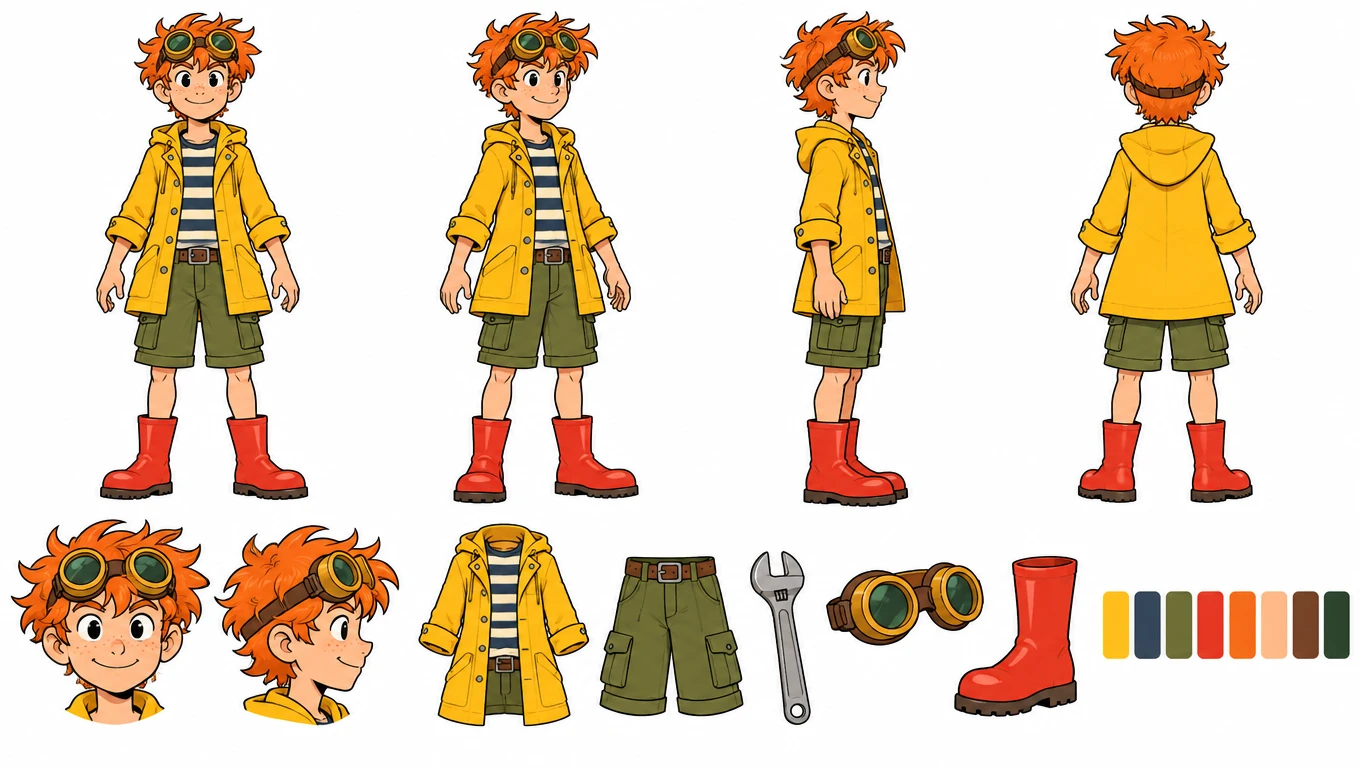
Turn one picture of your character into a turnaround sheet: front, three-quarter, side and back views in the same neutral pose, with face close-ups, outfit details and color swatches below.
Turnaround sheet of your character
Your character
At a glance
- Output: one 16:9 sheet, 1360 × 768 px, on a plain white background.
- Layout: full-body front, three-quarter, side and back views at equal height in a neutral standing pose with empty hands, then front and profile head close-ups, callouts of the outfit, accessories and props, and a row of color swatches.
- Cost per sheet: 10 credits, or 6 with High quality off — also when you start from a description; there's no separate character step.
- The sheet is drawn from your character's saved image, and the prompt keeps colors, outfit and hairstyle the same in every view.
- New accounts get 20 free credits, valid for 30 days. Failed generations don't use credits.
Made with DrawMyOC
Real characters, each turned into a turnaround sheet on this site. Open “Prompts” to read the exact text that made each image.
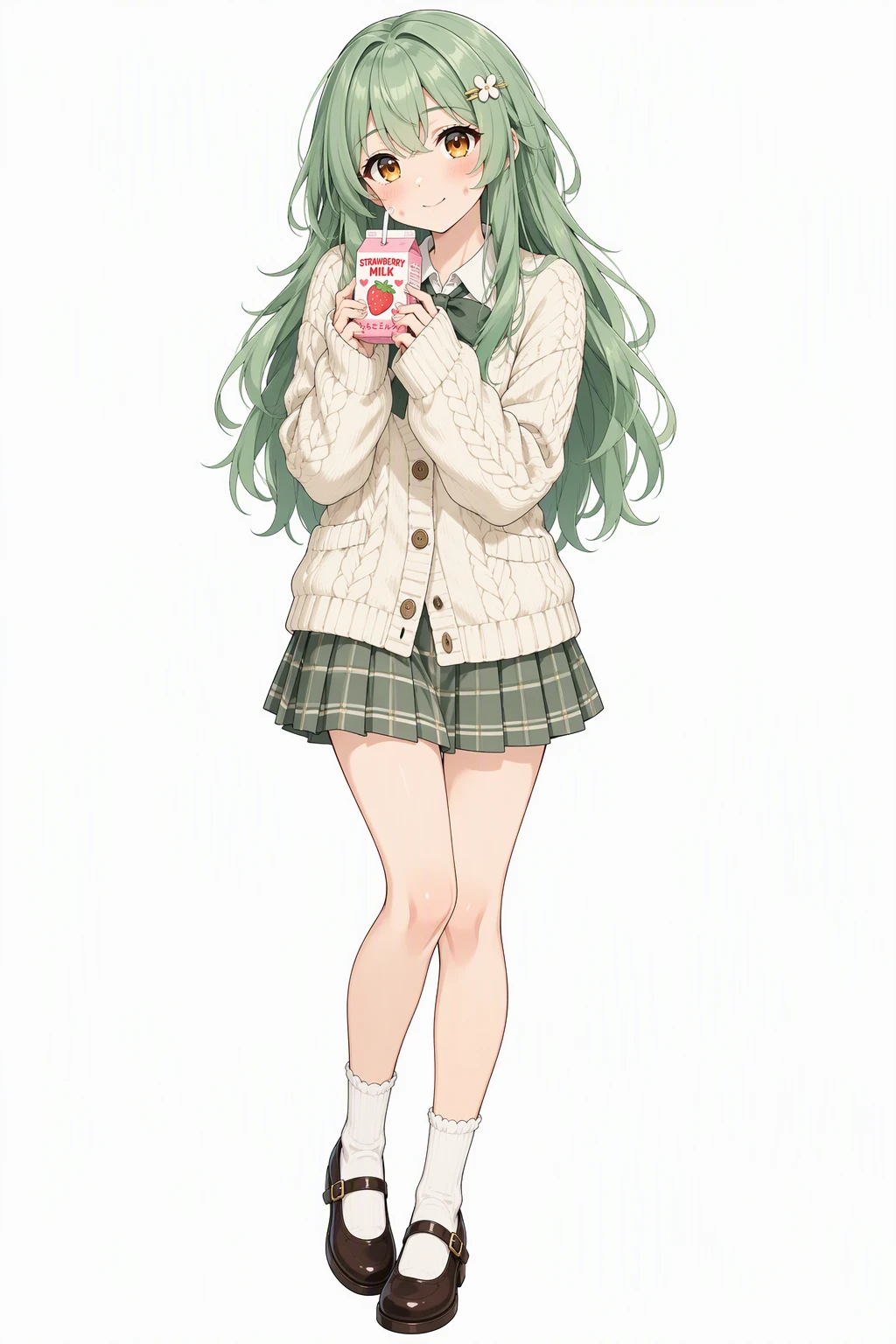 Character
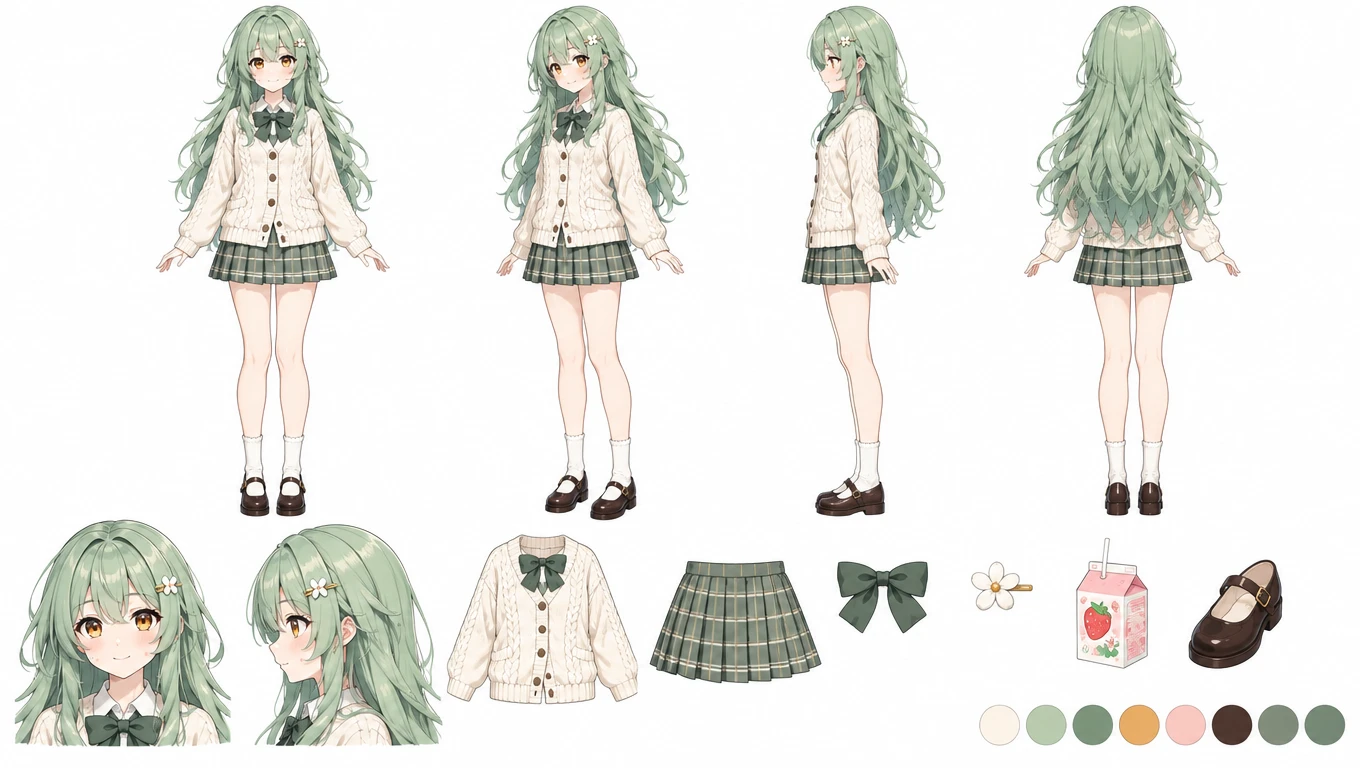 Turnaround sheet
Prompts
Character: Vibrant anime illustration with clean line art, cel shading and expressive large eyes. A cheerful young woman with long layered mint-green hair, warm amber eyes and dimpled fair cheeks, wearing a cream knitted cardigan over a pleated skirt with Mary Janes and a small hair clip, holding a strawberry milk carton with a shy soft smile. Single character, full body, clean white background.
Turnaround sheet (with the character as reference): Character reference sheet on a plain white background, flat even lighting. Same character as the reference image. Keep the exact same design, colors, outfit, hairstyle, face and art style. Layout: a full-body turnaround in four clearly different angles — front view facing the viewer, three-quarter view with the whole body clearly turned 45 degrees to the side, side view in full profile, back view — at equal height, all in the same relaxed neutral standing pose with the arms slightly away from the body and empty hands. Below it: a row of head close-ups (front and profile), small detail callouts of the outfit, the accessories and any props the character carries, and a row of up to eight flat color swatches of the character's main colors. Clean spacing, nothing overlapping or cropped, no text labels.
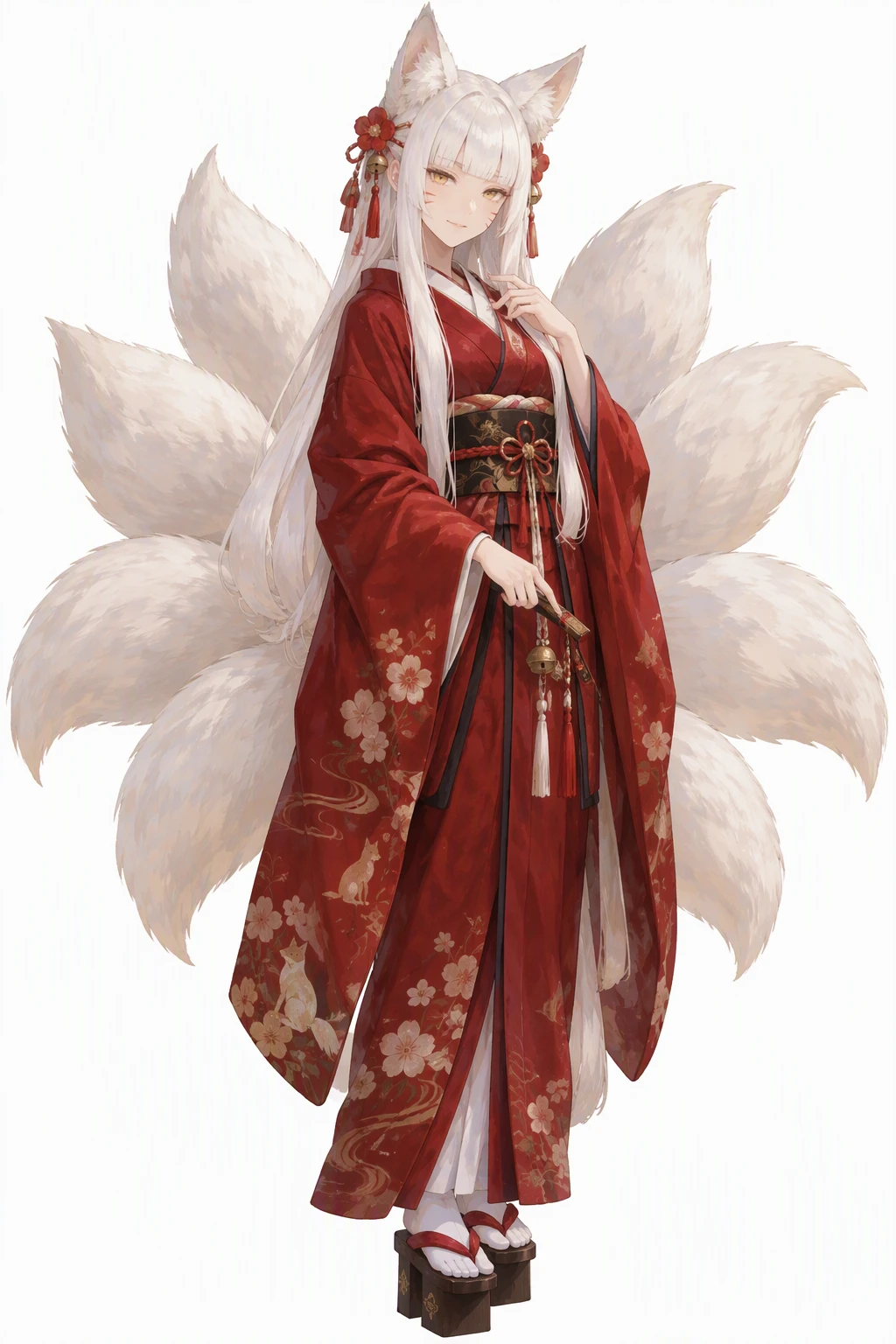 Character
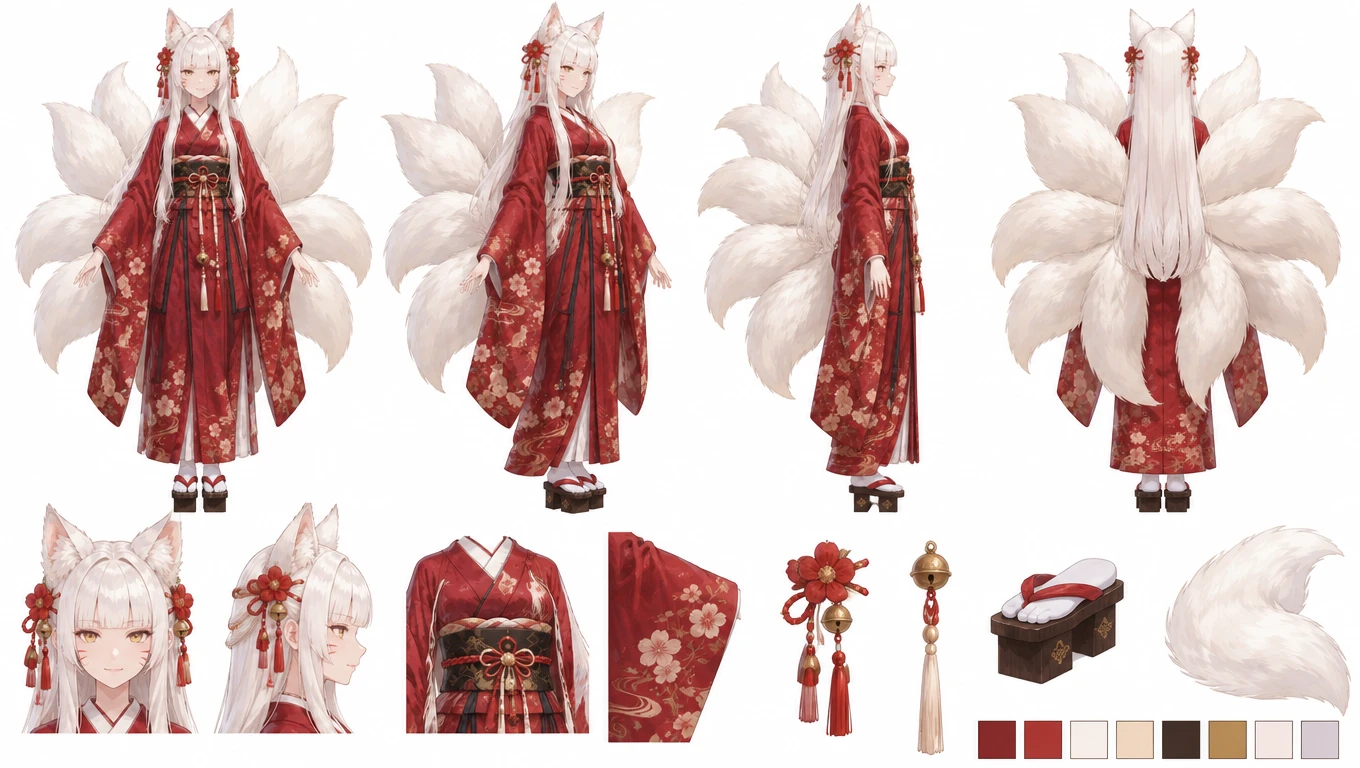 Turnaround sheet
Prompts
Character: Hand-painted anime style with soft painterly brushwork and gentle color blending. A fox spirit shrine keeper with long white hime-cut hair, golden eyes and faint whisker marks on her cheeks, fox ears and tails fanned out behind a deep red kimono, geta on her feet, wearing a quiet mysterious smile. Single character, full body, clean white background.
Turnaround sheet (with the character as reference): Character reference sheet on a plain white background, flat even lighting. Same character as the reference image. Keep the exact same design, colors, outfit, hairstyle, face and art style. Layout: a full-body turnaround in four clearly different angles — front view facing the viewer, three-quarter view with the whole body clearly turned 45 degrees to the side, side view in full profile, back view — at equal height, all in the same relaxed neutral standing pose with the arms slightly away from the body and empty hands. Below it: a row of head close-ups (front and profile), small detail callouts of the outfit, the accessories and any props the character carries, and a row of up to eight flat color swatches of the character's main colors. Clean spacing, nothing overlapping or cropped, no text labels.
 Character
 Turnaround sheet
Prompts
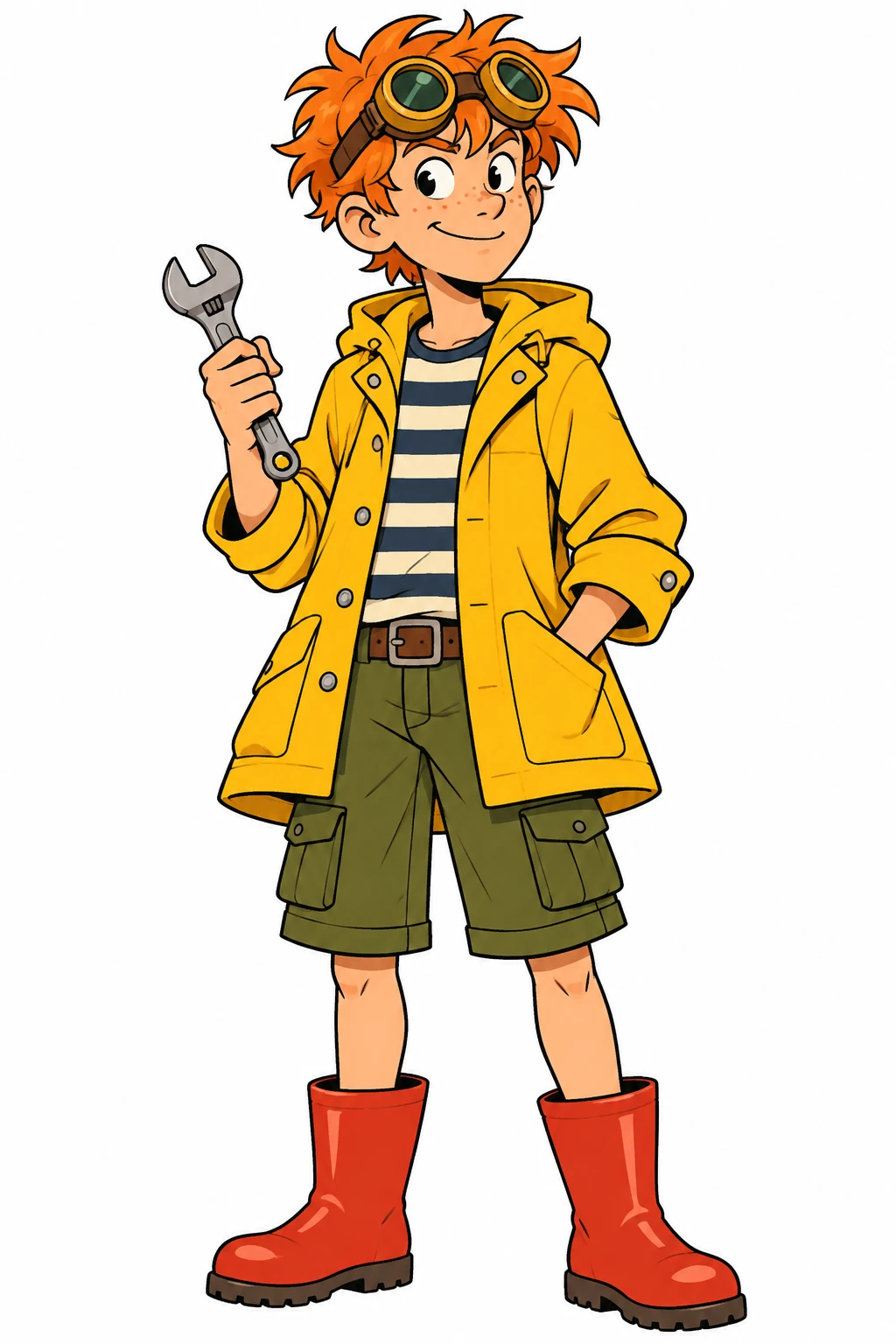
Character: Western cartoon style with bold clean outlines and flat bright colors. A teenage boy inventor with messy orange hair, round brass goggles pushed up on his forehead and freckles, wearing a yellow raincoat over a striped shirt, cargo shorts and red rubber boots, holding a small wrench. Full body, standing, plain white background.
Turnaround sheet (with the character as reference): Character reference sheet on a plain white background, flat even lighting. Same character as the reference image. Keep the exact same design, colors, outfit, hairstyle, face and art style. Layout: a full-body turnaround in four clearly different angles — front view facing the viewer, three-quarter view with the whole body clearly turned 45 degrees to the side, side view in full profile, back view — at equal height, all in the same relaxed neutral standing pose with the arms slightly away from the body and empty hands. Below it: a row of head close-ups (front and profile), small detail callouts of the outfit, the accessories and any props the character carries, and a row of up to eight flat color swatches of the character's main colors. Clean spacing, nothing overlapping or cropped, no text labels.
How to make a character turnaround sheet
Add your character
Upload one clear picture of your OC, pick one you've saved, or describe a new character.
Check the layout prompt
The prompt lists the views, the close-ups and the detail callouts. Add anything the sheet must show, like a weapon or the back of a cape.
Generate and keep it with the character
Download the 16:9 sheet. It stays in your character's library under Turnaround sheets, as the reference for everything you make next.
What a character turnaround is
A character turnaround shows the same character from several angles — usually front, three-quarter, side and back — standing in the same neutral pose at the same height. Animators, comic artists, 3D modelers and people commissioning art use it to keep a design consistent from any angle.
A full character reference sheet usually adds close-ups of the face, callouts for details that are easy to get wrong — a logo, a hairpin, the pattern on a sleeve — and a color palette. The sheet this generator makes covers both: the turnaround on top, the close-ups, details and color swatches below.
What to put on an OC reference sheet
An OC reference sheet, also called a ref sheet, character reference sheet or character design sheet (studios say model sheet), is what you hand an artist so they draw your character right. Most good ones show the full body from the front and the back, a close-up of the face, the color palette, and close-ups of anything easy to get wrong: a pattern, a scar, an accessory, which side the hair parts on.
Many artists also add a few expressions, a height chart next to other characters and short notes such as the name, personality and things never to draw. Keep the sheet clean, with a plain background, flat light and nothing cropped, so colors can be picked straight from it.
This generator draws the visual part in one image: four full-body views, front and profile head close-ups, callouts of the outfit, accessories and props, and up to eight color swatches. It doesn't add text, an expression set or a height chart. Write your notes on the sheet afterwards, and make expressions with the Discord Sticker Maker or the Twitch Emote Maker.
How the AI turnaround sheet is drawn
Your character's saved image is the reference, and the prompt asks for the same design, colors, outfit, hairstyle, face and art style in every view, at equal height, with nothing overlapping or cropped.
Every view uses the same relaxed neutral pose with empty hands, so the silhouettes line up from angle to angle; anything your character carries, like a wand or a wrench, is drawn on its own in the callouts. The lighting is flat and even, so the colors in the swatches match the drawing.
Side and back views are the AI's best guess at angles your original art doesn't show, so treat the sheet as a strong draft: check the back of the outfit and the hairstyle, and spell out anything that matters in the prompt before you generate again.
Turnaround sheet tips
Start from front-facing art with the whole body and outfit visible; a cropped or busy picture gives the AI less to work from. If your character has a detail that only shows from behind — a tail, a hood, a back print — describe it in the prompt.
Use the finished sheet as the reference for the rest of your character's kit — outfits, stickers, emotes — and to brief an artist if you commission them later.
Character Turnaround Generator FAQ
What is a turnaround sheet?
A turnaround sheet shows one character from several angles in the same pose — typically front, three-quarter, side and back — so anyone drawing or modeling the character can stay on-model.
What should be on a character reference sheet?
At least the full body from the front and the back, a face close-up, the color palette and close-ups of small details that are easy to get wrong. Many sheets also add three-quarter and side views, a few expressions, a height chart and short notes. This generator covers the views, close-ups, details and colors; add the notes and expressions yourself.
How do I make a character turnaround sheet?
Describe a new character, or use your own OC (one you've made or a picture you upload), and generate — the full layout prompt is one click away if you want to check it. You get one 16:9 sheet with four full-body views, head close-ups, outfit details and color swatches.
Can AI make a character sheet from one image?
Yes. Upload one clear picture of your character, or describe one, and the AI draws front, three-quarter, side and back views plus close-ups and color swatches on one sheet for 10 credits. Angles your picture doesn't show are the AI's best guess, so check the back view before you use the sheet as a reference.
Is this character turnaround generator free?
Each sheet costs 10 credits, or 6 with High quality off. New accounts get 20 free credits that last 30 days.
Will the back view match my character?
The back is the AI's best guess, since most art only shows the front. It follows the reference's colors and outfit; check details like the back of a cape or the hairstyle, and regenerate with a more specific prompt if needed.
Can I use the sheet for 3D modeling?
As a visual reference, yes. The views are drawn, not measured, so they are not exact orthographic blueprints — treat proportions as approximate.
Can I add expressions to my OC reference sheet?
The sheet includes front and profile head close-ups. For a range of expressions, the Discord Sticker Maker and Twitch Emote Maker draw six expressions of the same character on one sheet.
What is the difference between a turnaround sheet and an OC reference sheet?
A turnaround sheet shows the same character from several angles, front, three-quarter, side and back, so anyone can draw or model it the same way. An OC reference sheet is usually broader: those views plus face close-ups, outfit details, color swatches and notes. This generator puts both on one image: the views, face close-ups, outfit details and color swatches.
No character yet?
Describe one and DrawMyOC draws it, then keeps every token, sticker and sheet you make from it in one library.